Enhanced PDF and unfolding support, improved CNC hole and pocket recognition, and wall thickness visualization in Manufacturing Toolkit 2025.8
MTK 2025.8 improves PDF drawing import, CNC hole and pocket recognition, and unfolding for complex formed parts. It adds wall thickness and drawing visualization in MTK Workbench and MTK Web, plus better JSON report grouping.

PDF import improvements and web visualization
Extended PDF drawing import to support text and solid fill
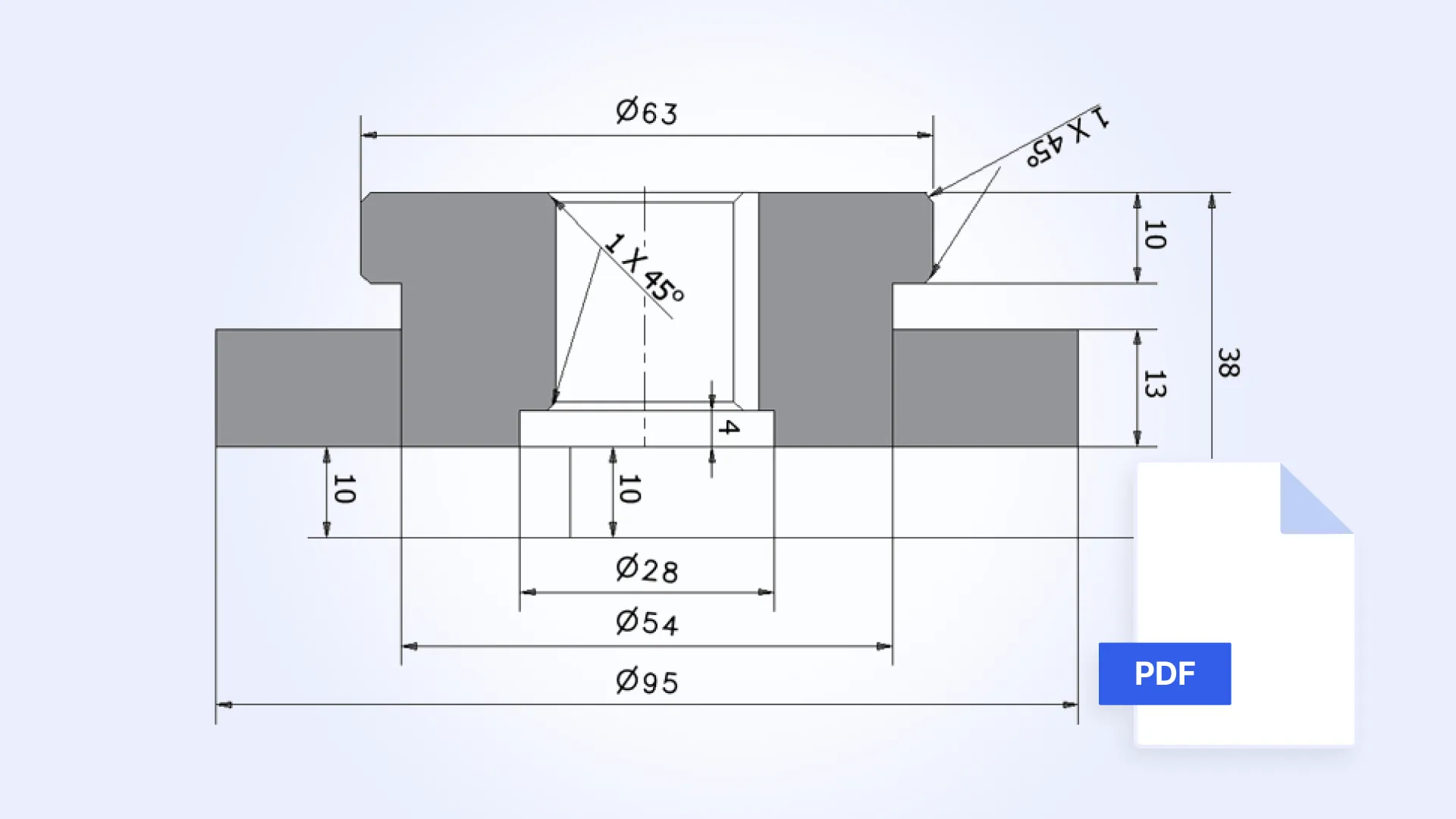
Since the previous release, MTK has supported PDF import. However, all imported entities—including text and hatching—were previously represented as curves.
In this release, text and hatching are imported as proper 2D semantic elements, with solid fill now supported as a dedicated fill type. The Drawing Exploration example has been updated accordingly.
Drawing visualization in MTK Web
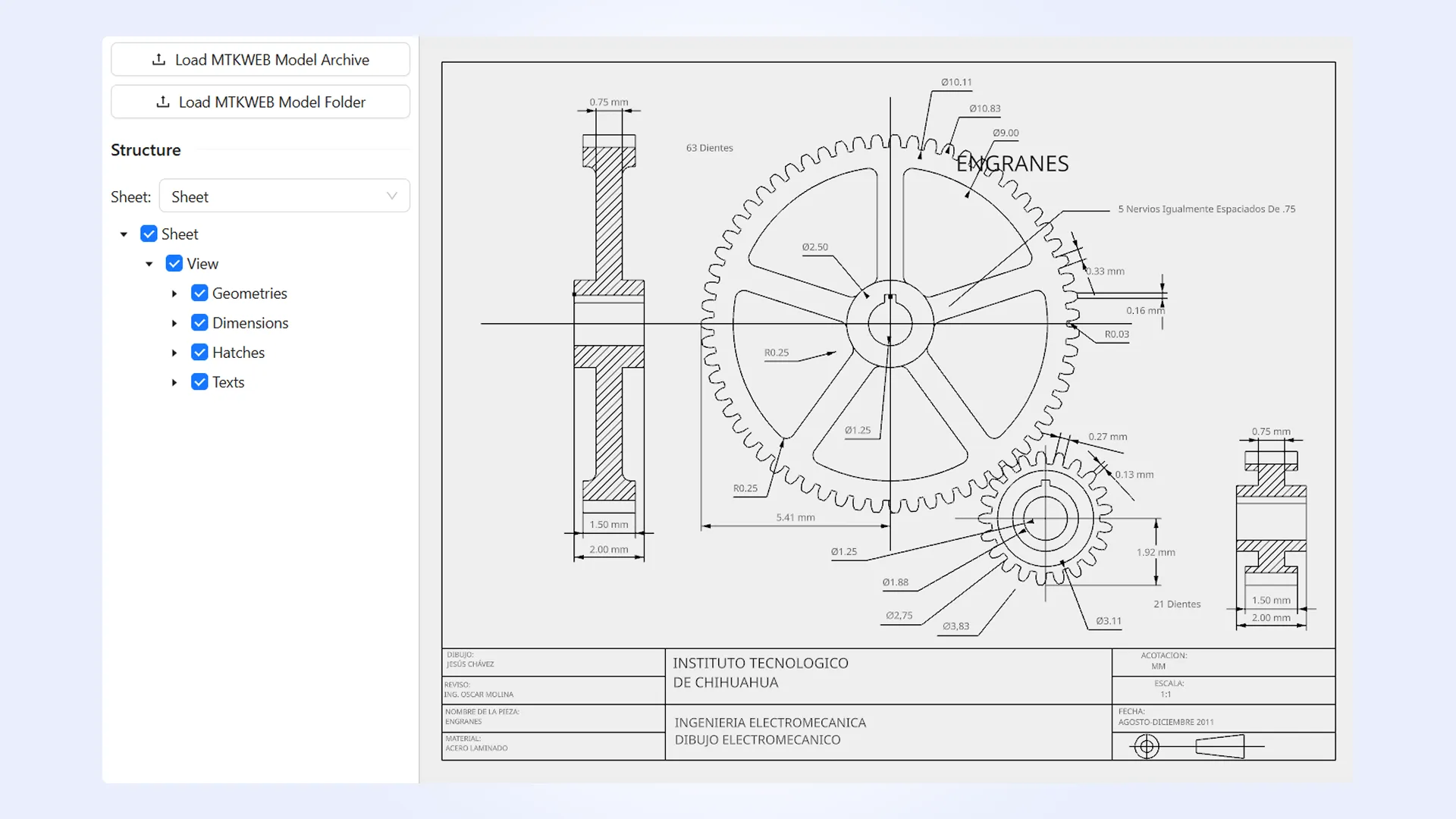
You can now convert imported drawings to .MTKWEB and visualize them directly in your web application.
Unfolding support for complex formed sheet metal features
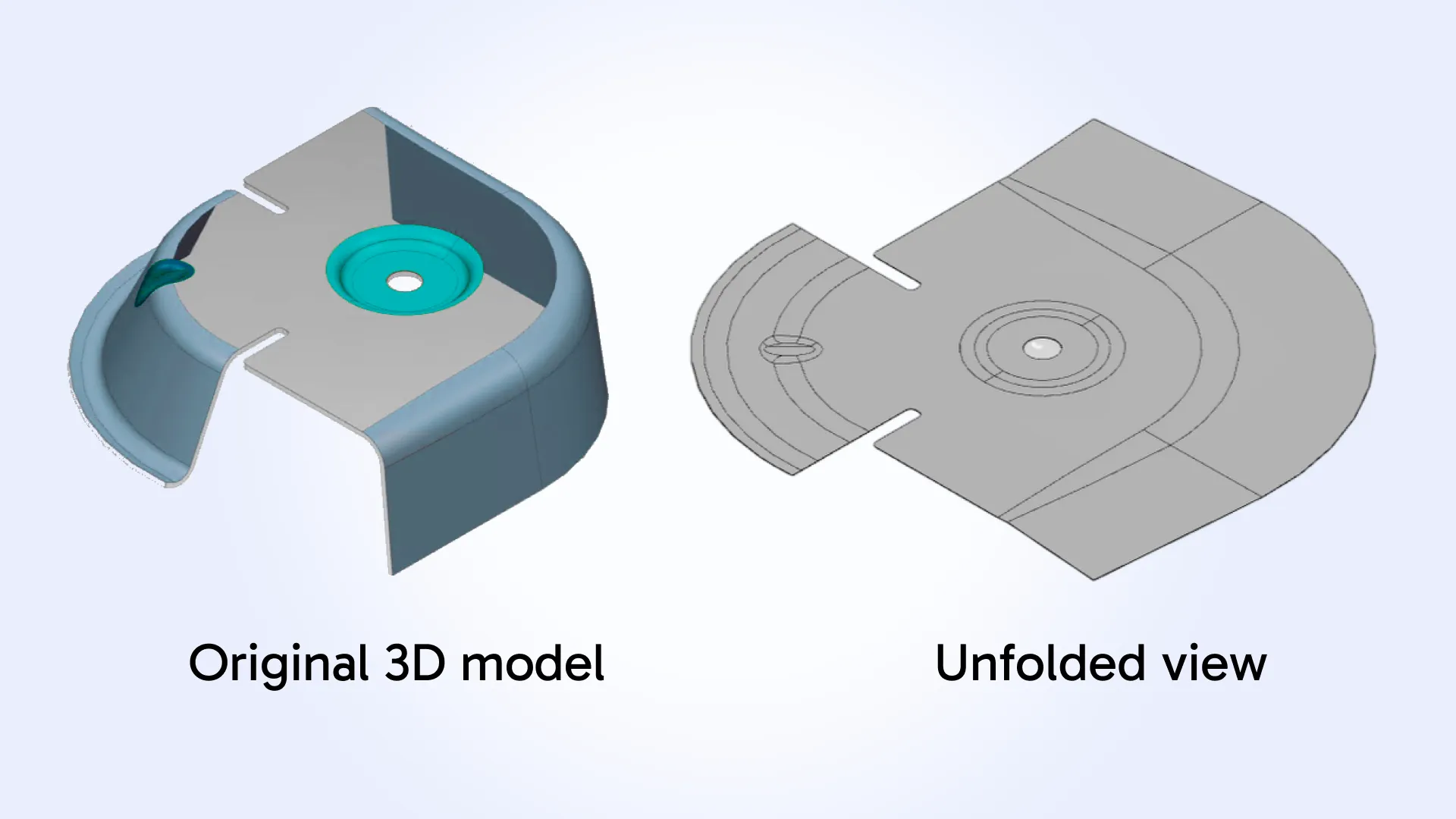
In MTK 2025.8, we have significantly expanded sheet metal unfolding capabilities. Beyond improvements to basic forming cases (e.g., bridges and louvers), the unfolding engine now supports complex formed features that previously could not be unfolded.
This includes drawn and punch-formed geometry (with or without associated cuts or openings), embossed features, and other localized forming details commonly found in real-world stamped and formed sheet metal parts.
CNC machining feature recognition improvements
Holes and hole bottoms
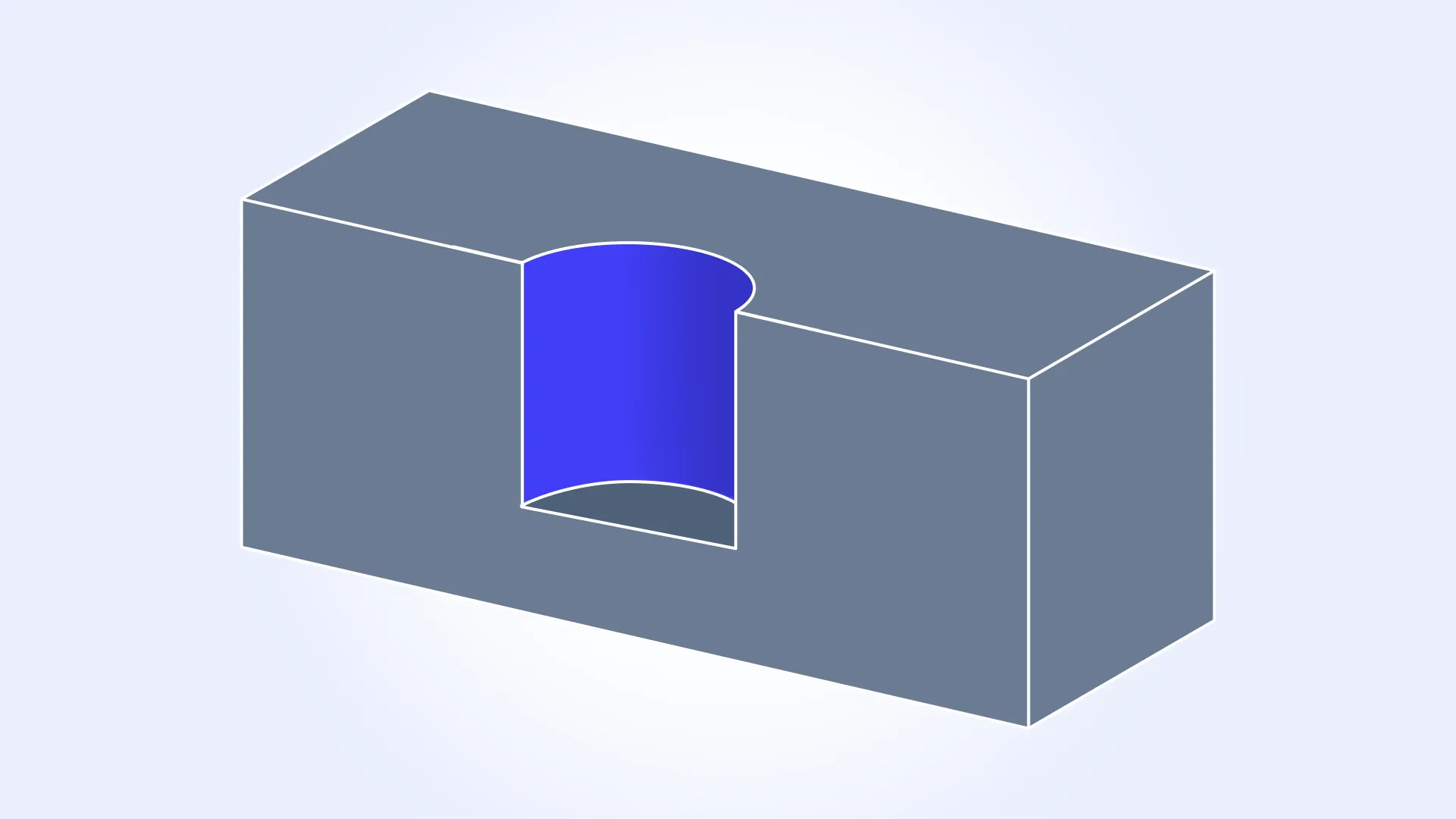
In this release, CNC machining hole recognition for holes consisting of B-spline surfaces has been improved. In addition, the logic for determining hole bottom geometry has been corrected.
Pockets
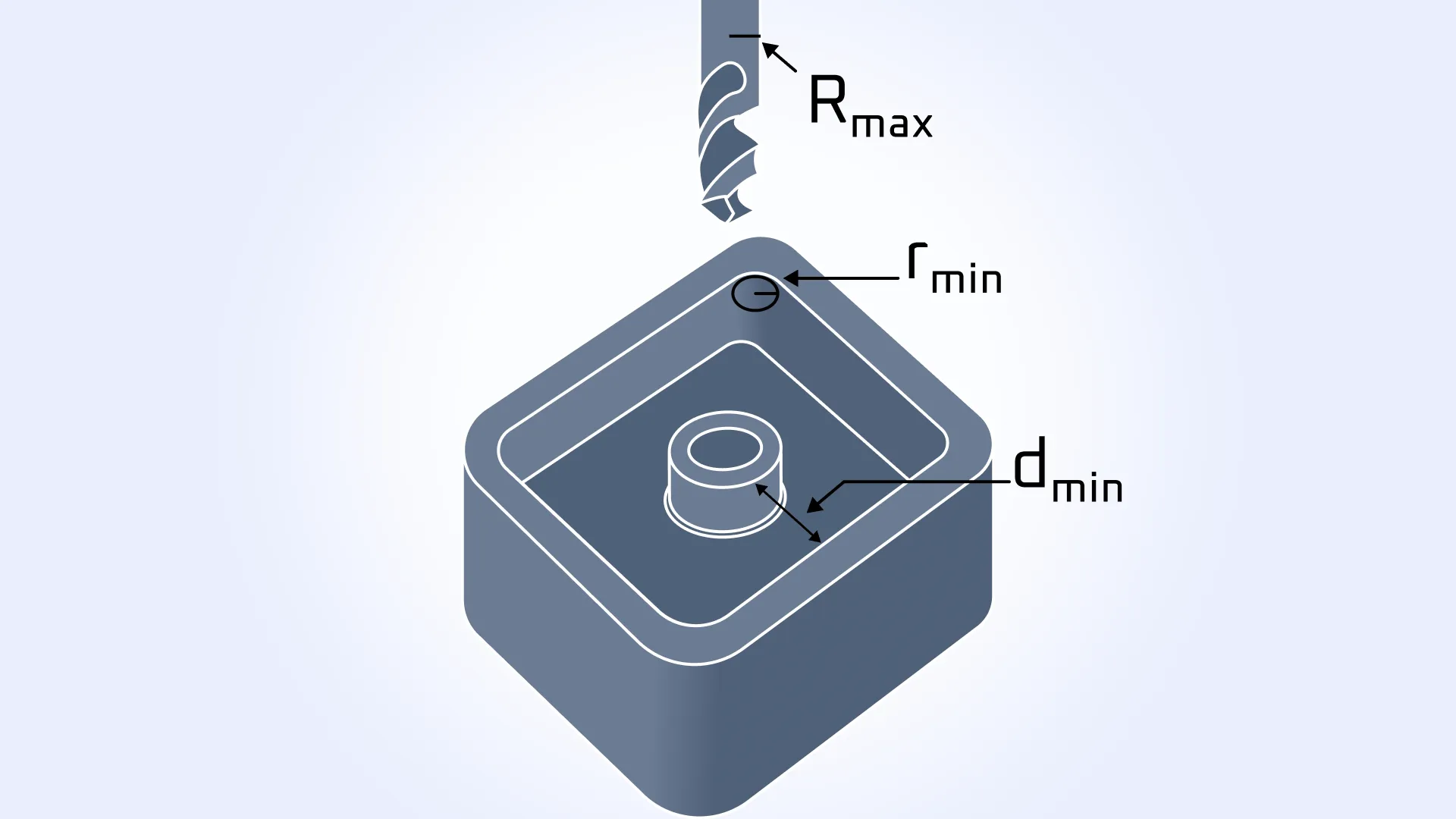
In pocket machining, it is often necessary to determine the maximum allowable cutter radius. This calculation becomes more complex when the pocket contains internal features, such as bosses. For example, for the case shown in the figure, the maximum cutter radius can be expressed as: Rmax = min(rmin, dmin).
To address this, a new API has been introduced to extract the maximum feasible cutter radius based on pocket geometry. The new Machining_Pocket::MaxCutterRadius(): method returns the largest allowable cutter radius, taking into account internal corner radii and the minimum distance between pocket walls. This enables more reliable tool selection and downstream machining logic.
Configurable precision in MTKConverter JSON reports
In MTK, identical manufacturing features and DFM issues with matching dimensions (for example, multiple holes with the same radius) are grouped together for easier analysis and reporting.
Previously, dimensional matching was performed with excessively high precision: two values were considered equal only if their difference was less than 0.00001 (1e-5 precision). As a result, the JSON report often contained an excessive number of manufacturing features and DFM issues that were treated as distinct groups due to negligible dimensional differences.
In practice, such a high level of precision is not always necessary. In the new release, dimensions are now considered equal if their difference is less than 0.005 (5e-3 precision). This change significantly reduces the number of manufacturing feature and DFM issue groups in the JSON report, making it more compact and easier to work with.
In addition, MTK now allows users to explicitly control the comparison precision based on their specific use case. Starting with MTK 2025.8, the new DoubleParameterPrecision() method has been added to Utilities::JSONSerializer. This resolves MTKConverter JSON report grouping issues caused by double-precision truncation during report generation.
Wall thickness visualization
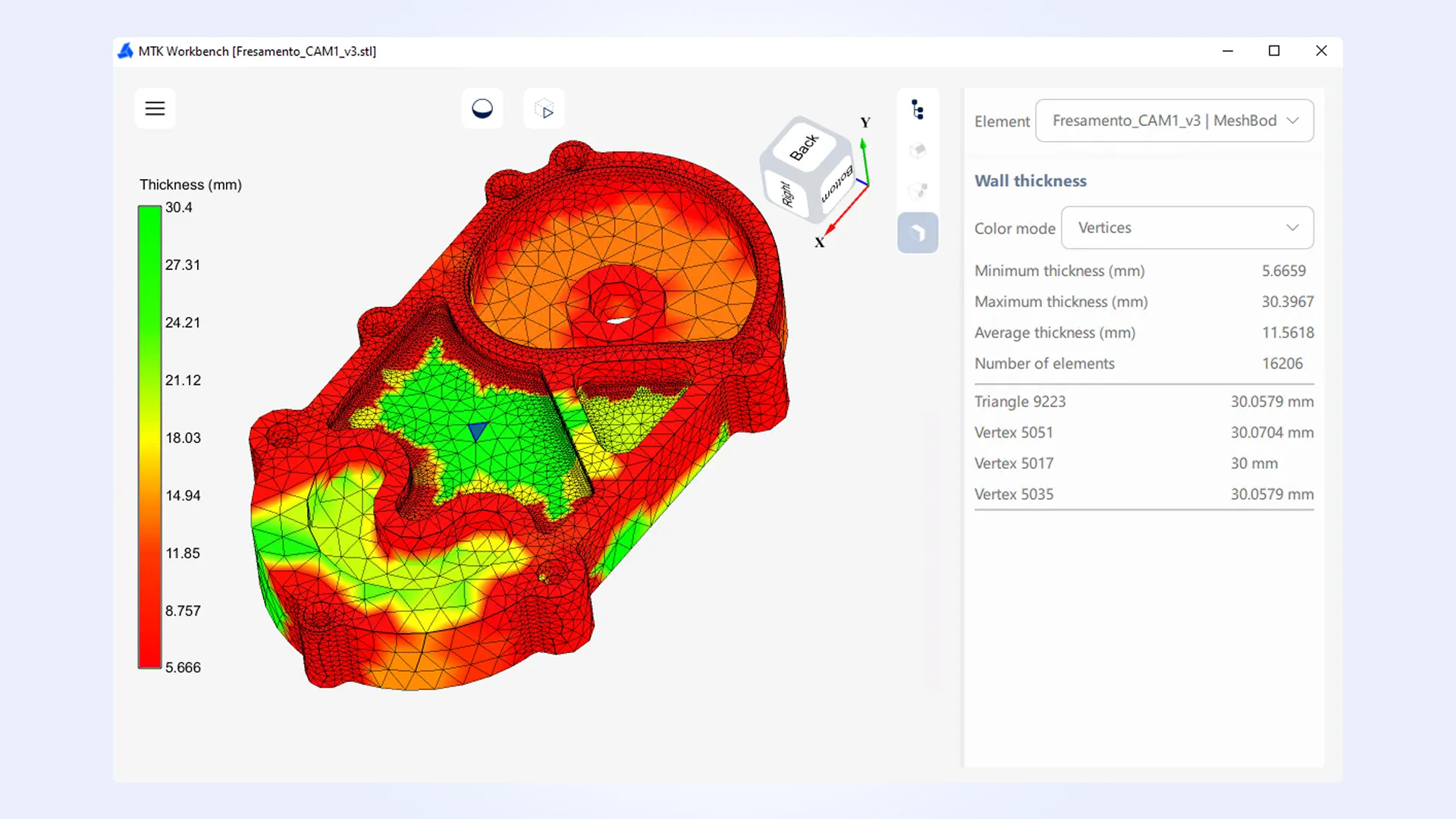
Wall Thickness is an analysis algorithm that computes wall thickness values across a 3D model. In digital manufacturing workflows, this analysis is commonly used to identify thin regions, assess manufacturability, and support DFM checks.
In MTK 2025.8, wall thickness visualization has been added to MTK Web and MTK Workbench. The results are displayed as a heat color map, enabling intuitive inspection of thickness distribution directly on the model.
To support this visualization, a new overload of WallThickness_Data::GetThickness() has been introduced, allowing thickness values to be queried at mesh triangles’ vertices. This enables per-vertex thickness mapping for mesh-based models and more accurate visual representation.
In addition, the MTKConverter C++ example for the Wall Thickness workflow has been updated to demonstrate how to prepare analysis data for visualization in MTK Web.
MTK Workbench improvements
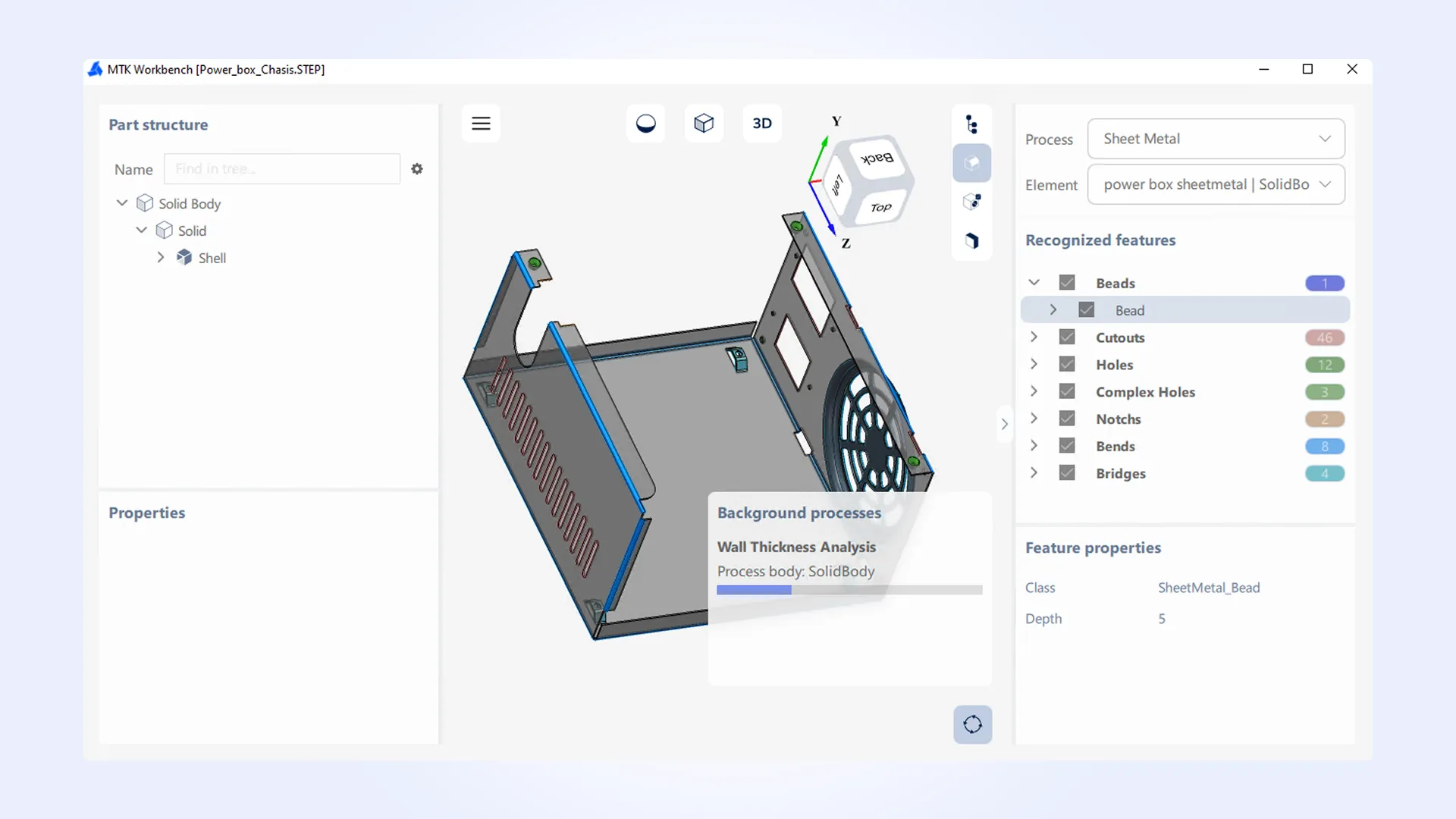
In the previous release, we introduced MTK Workbench—a desktop application designed for viewing, testing, and in-depth analysis of MTK workflows before integrating MTK into your own application.
In MTK 2025.8, this tool has received a number of usability and functionality updates:
-
Added Wall Thickness analysis with a heat color map visualization.
-
Introduced a triangle-based selection mode for mesh-only models.
-
Added ability to collapse and expand side panels.
-
Added a background processes panel.
-
Added scene actions, including:
- Show only (displays only the selected object).
- Show all (displays all objects).
- Fit selected (fits the view to the selected element).
In addition, this release includes several minor improvements across the Manufacturing Toolkit. For the complete list of updates in MTK 2025.8, please refer to the CHANGES.txt file.