Oriented bounding cylinders, external CNC threading, enhanced PDF import, and Workbench & Web updates in Manufacturing Toolkit 2026.2
Explore oriented bounding cylinders, CNC thread recognition, enhanced PDF import, drawing support in Workbench, and improved Web visualization in the new release.

Support for computing oriented bounding cylinders
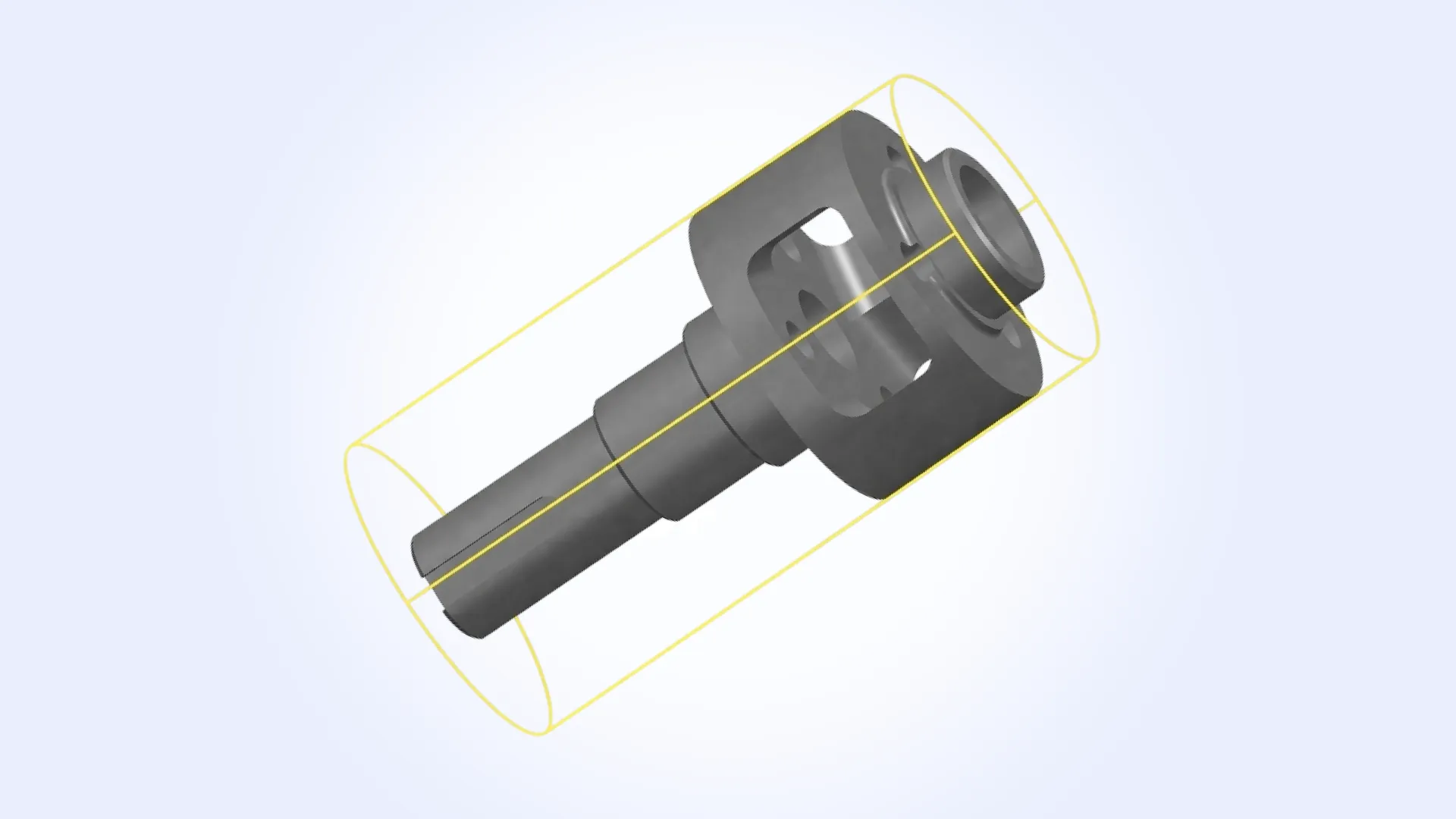
A new Measurements::BoundingCylinder class has been introduced to compute oriented bounding cylinders for parts, bodies, and shapes. The API returns a Geom::Cylinder object representing the minimal-volume oriented bounding cylinder of the input geometry, which can be directly used in analysis, validation, or visualization workflows.
Unlike traditional axis-aligned bounding volumes, this approach provides a tighter and more representative fit. It is particularly useful for cylindrical components, shafts, and similar features where axis alignment does not reflect the true geometry.
External thread recognition in CNC machining
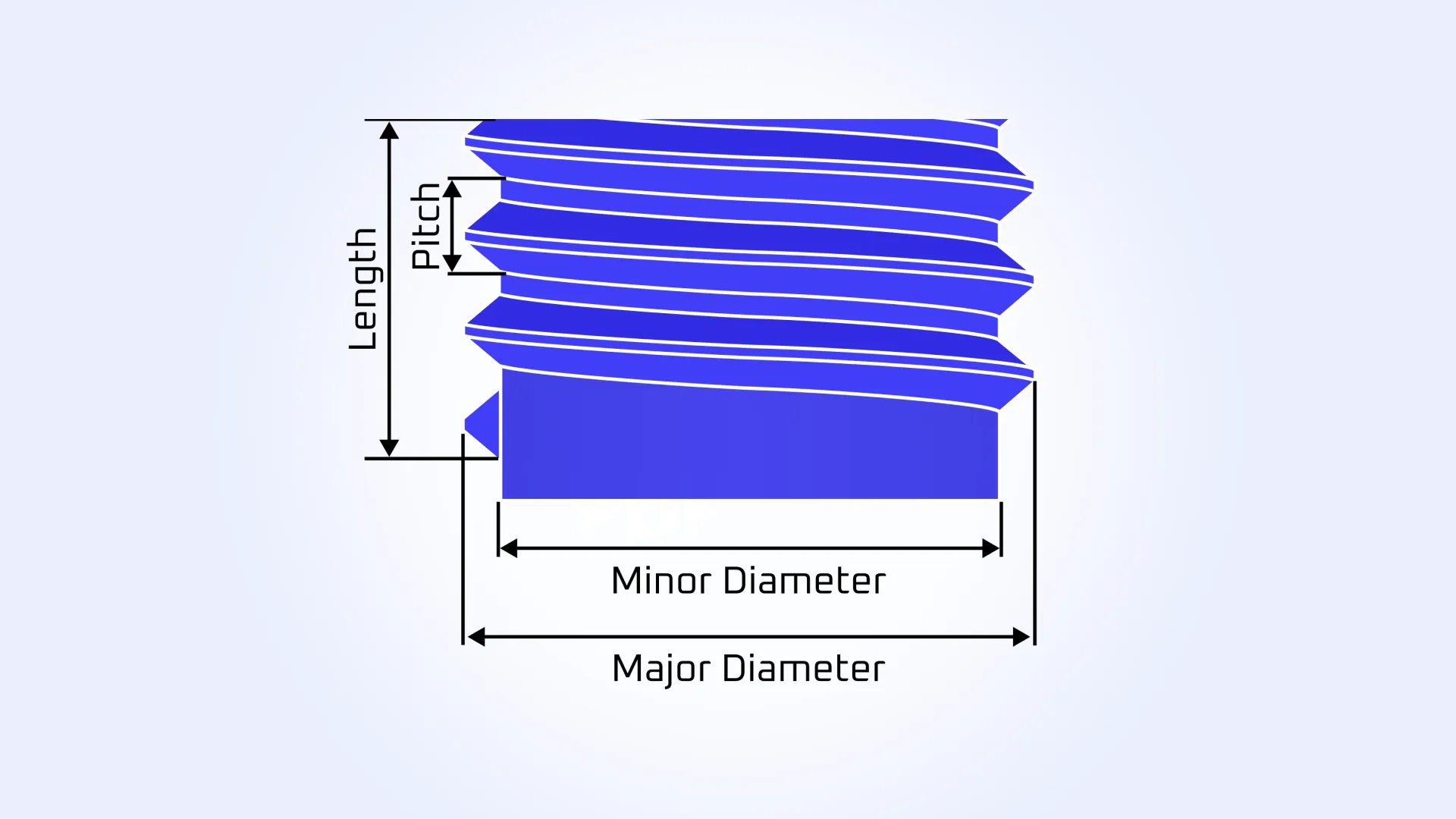
Feature Recognition in CNC Machining has been extended to support external threading. In addition to previously supported threaded holes, MTK now detects threads on cylindrical features such as bolts, screws, and threaded bosses.
The new Machining_Thread feature provides detailed parameters, including major diameter, minor diameter, pitch, thread length, and axis. As a result, thread-related features are captured more accurately and can be reliably used in automated workflows, reducing the need for manual interpretation.
Enhanced PDF text and solid fill import
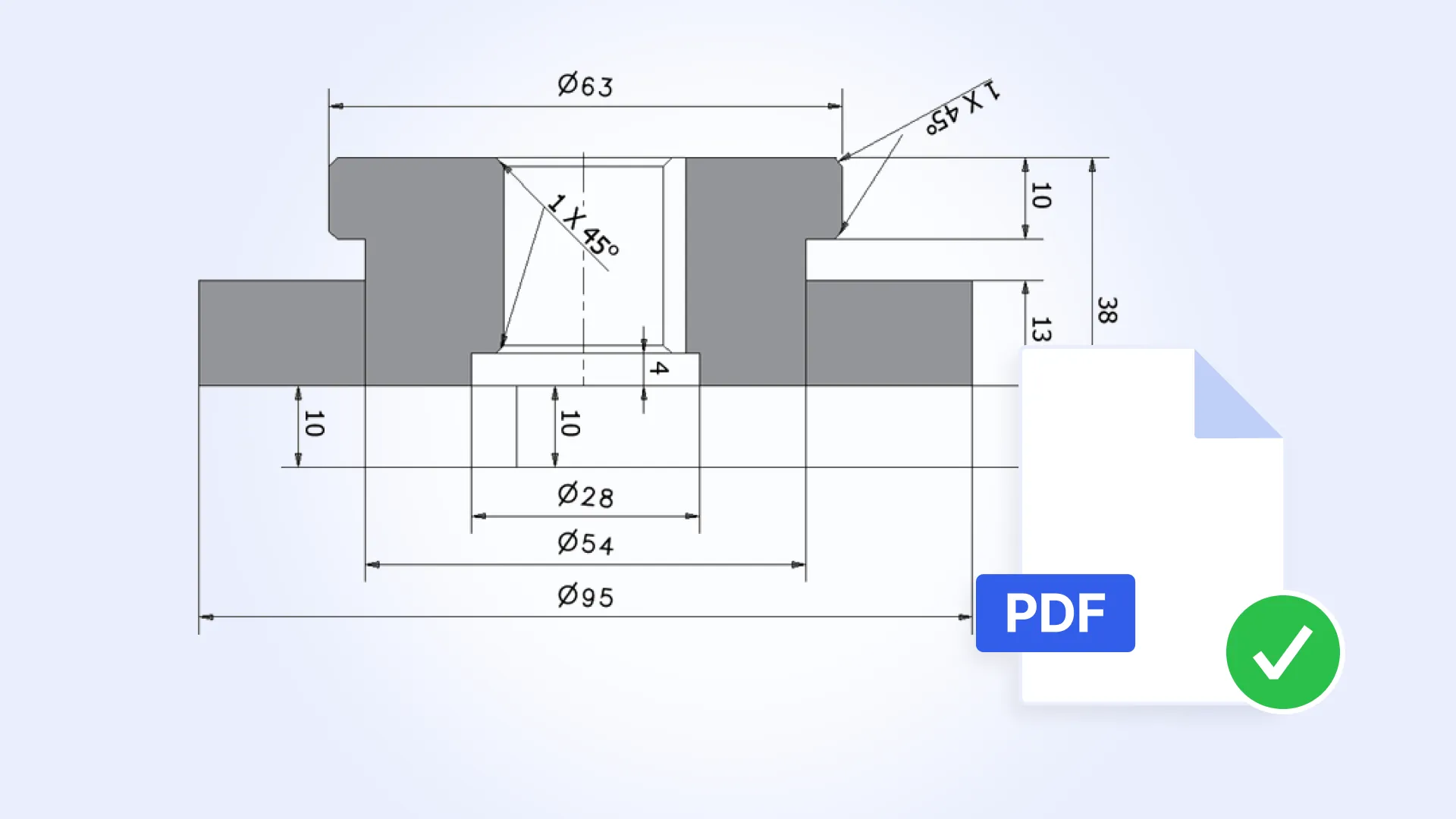
PDF import has been improved to better handle complex text transformations and solid fills.
Text elements are now imported with correct location, rotation, and font size, ensuring accurate reconstruction of annotations and labels, even in cases involving rotated or transformed text blocks.
Solid fill processing has also been refined. Redundant geometry is now filtered out during import, and neighboring polygon merging has been optimized to produce cleaner, more efficient representations of filled regions.
These changes reduce unnecessary complexity in the resulting geometry, improve the performance of downstream operations, and eliminate visual artifacts that could previously appear in dense or complex drawings.
MTK Workbench updates
MTK Workbench has been enhanced with new capabilities for working with drawings and configuring analysis workflows.
Drawing visualization improvements
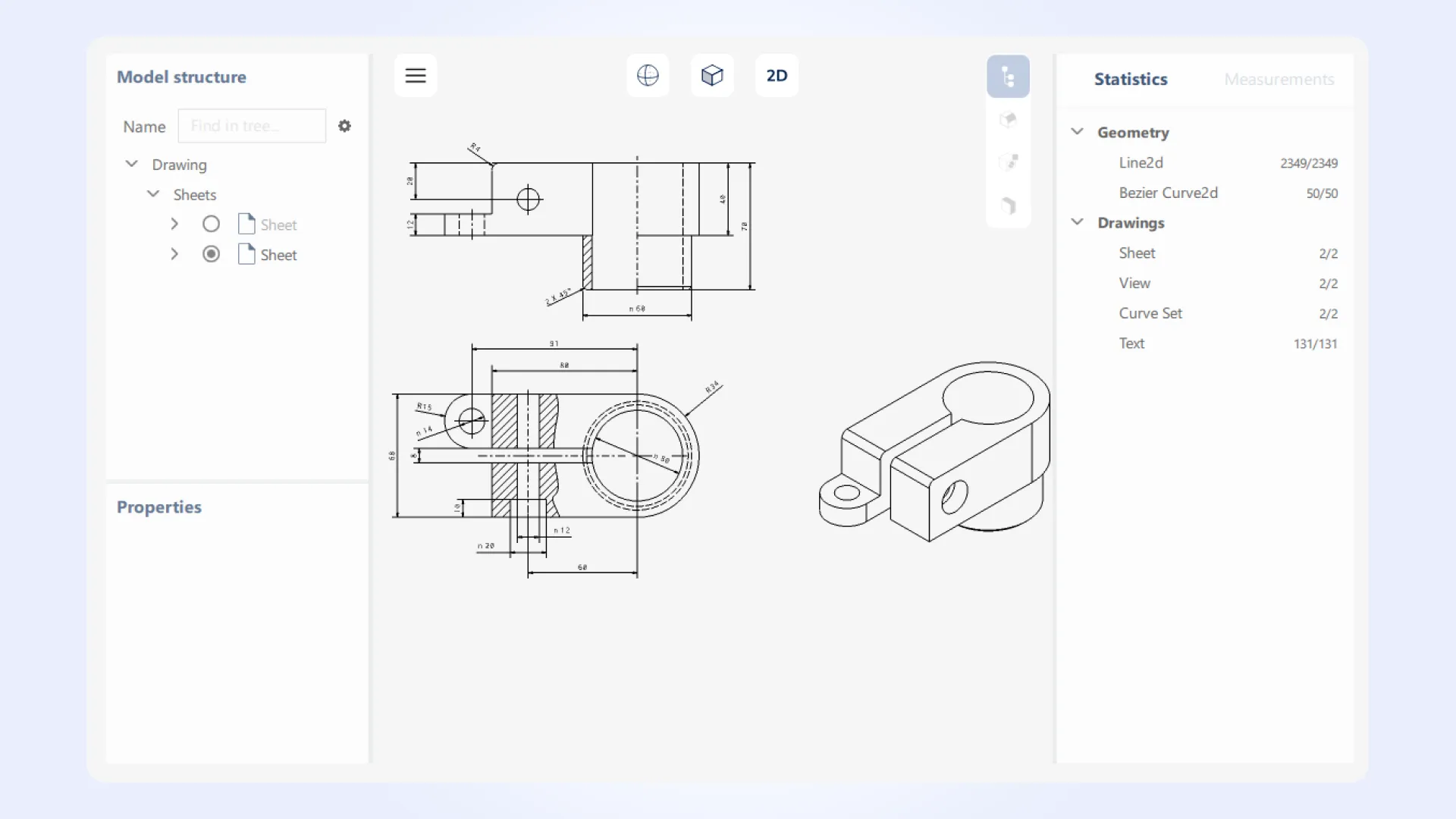
MTK Workbench now includes support for drawing visualization, enabling you to inspect 2D sheets alongside 3D models within a single environment. You can work with individual sheets, explore drawing structure, and analyze the properties of drawing elements without switching tools.
- Active Sheet selector. You can select and switch between sheets in multi-sheet drawings. This simplifies navigation and improves efficiency when working with complex documents.
- Drawing Structure tree. A hierarchical view of drawing elements is now available, providing a structured representation of the drawing content. You can explore components, understand relationships between elements, and quickly locate specific items.
- Property View for drawing elements. Detailed properties of selected drawing elements can now be inspected directly in Workbench. This includes key attributes needed for analysis and validation.
- 2D viewer support for active sheet elements. A dedicated 2D viewer allows visualization of elements from the selected sheet. You can interact with the drawing content in a clear and focused way, improving readability and making it easier to inspect annotations, geometry, and layout.
Process parameter panels
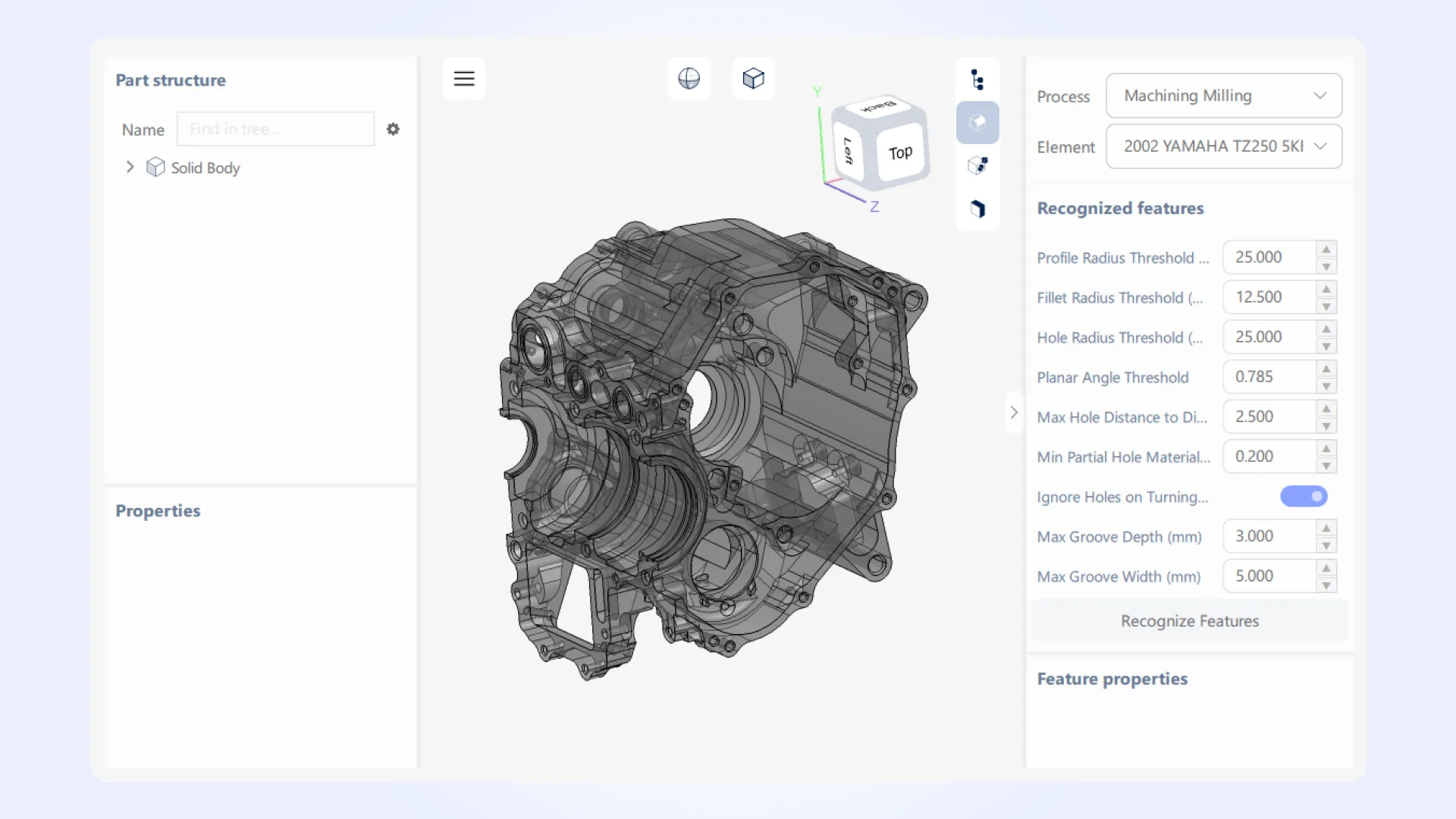
Workbench now includes parameter panels for Feature Recognition, DFM Analysis, and Wall Thickness processes. By allowing real-time configuration of process parameters, Workbench enables better insight into how different settings affect results.
This is particularly valuable when tuning algorithms or validating workflows against different types of models. As a result, you can more efficiently explore processing options, reduce setup time, and ensure that your configurations produce the expected outcomes before integrating them into production environments.
MTK Web updates
MTK Web visualization examples have been extended with new interaction and measurement capabilities, providing more precise and flexible tools for model inspection.
New highlight modes
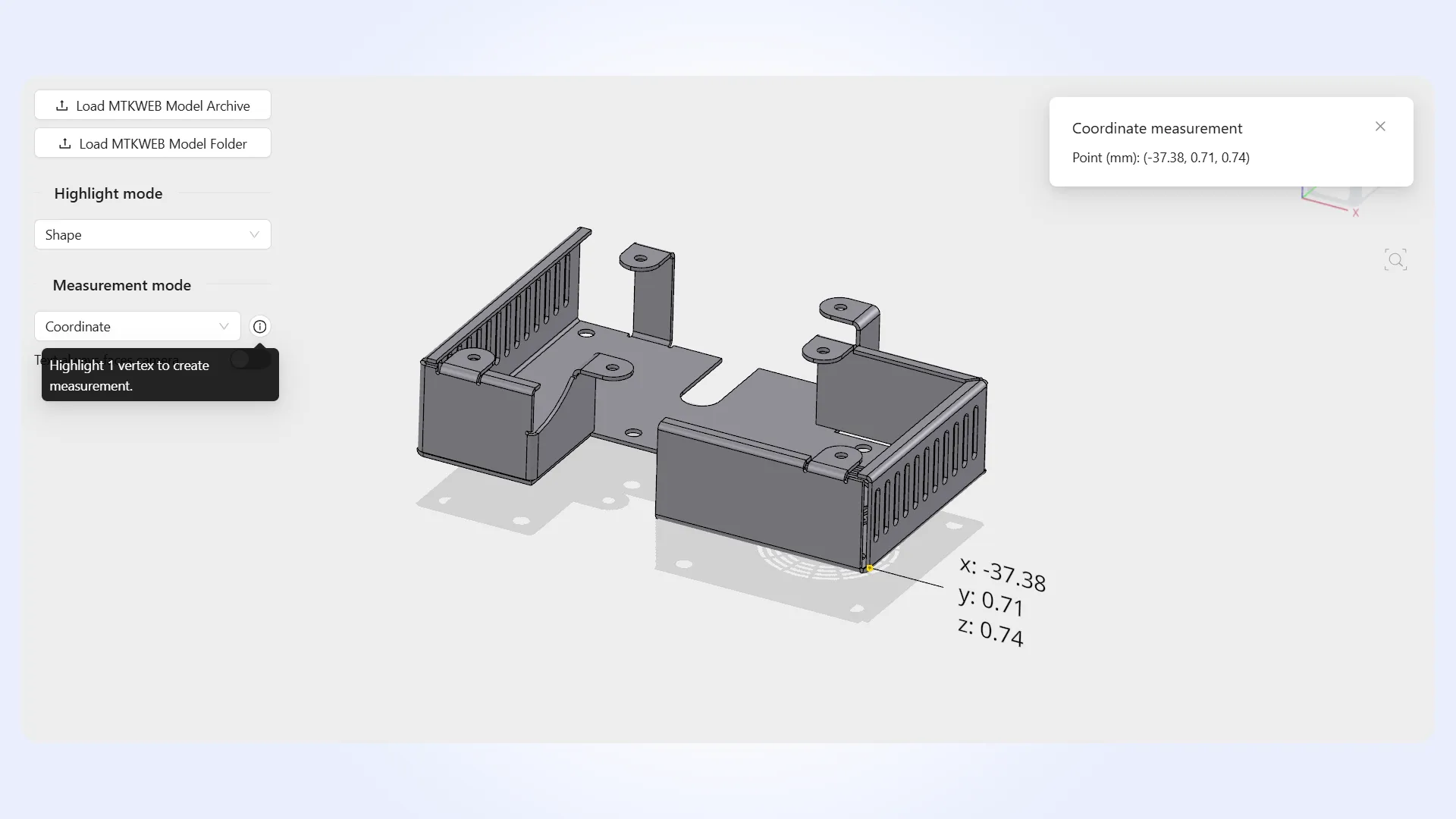
New highlight modes include vertex selection and arbitrary points on model surfaces, enabling more flexible interaction with geometry. Vertex selection allows you to inspect precise topology, while arbitrary surface point selection lets you target specific locations on a model beyond predefined geometric entities.
Additional measurement types
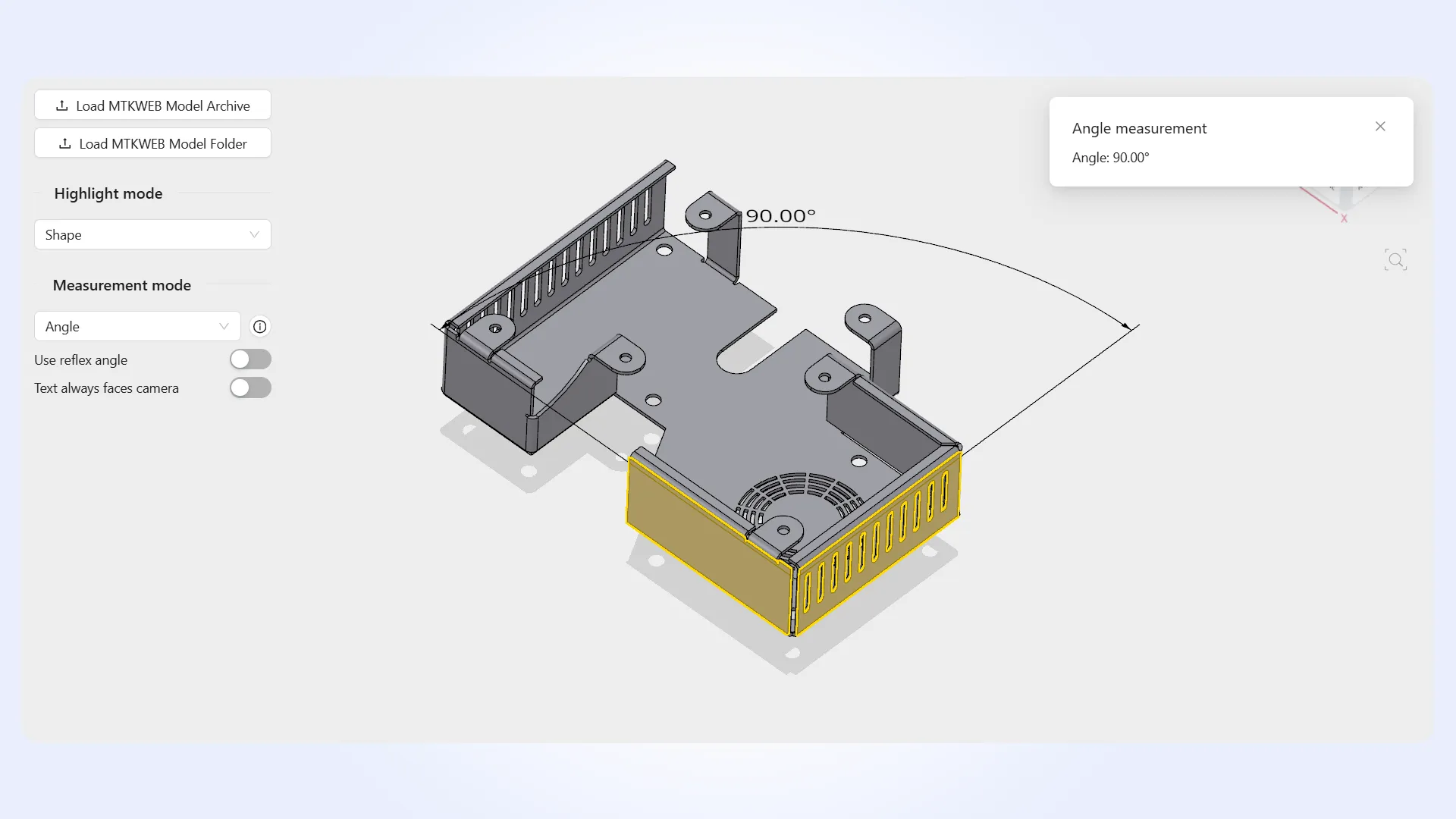
Additional measurement types have been introduced, including surface diameter, angles between two planes or lines, angles defined by three points, and coordinate measurements. Surface diameter measurement is particularly useful for cylindrical and curved features, while new angle measurements enable more accurate assessment of orientation and alignment.
Measurement billboarding
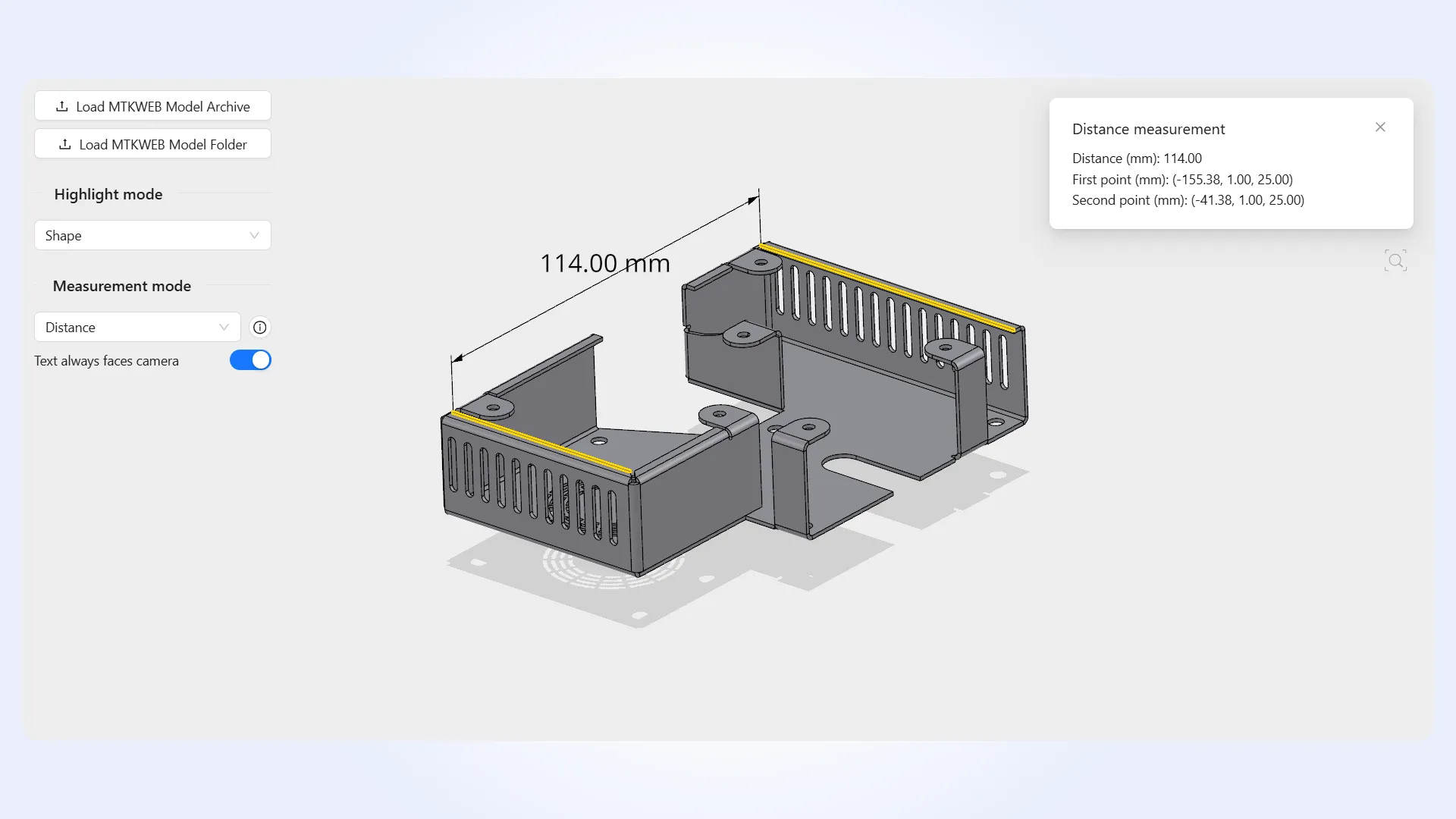
Measurement billboarding can now be enabled or disabled, ensuring that measurement labels remain readable by facing the camera when needed. When enabled, labels automatically orient toward the viewer, preventing them from being obscured or difficult to read due to model rotation. This is especially useful when working with dense or complex models where annotations can overlap or become misaligned.
In addition, this release includes several minor improvements across the Manufacturing Toolkit. For the complete list of updates in MTK 2026.2, please refer to the CHANGES.txt file.