Improvements in CNC and sheet metal recognition, wall thickness analysis, progress reporting, and Workbench & Web functionality in Manufacturing Toolkit 2026.3
The new release improves CNC and sheet metal recognition, progress reporting, and wall thickness analysis with the new Ray Marching algorithm, while extending Nesting support and enhancing Workbench and Web capabilities.

Feature recognition updates
Improved sheet metal bead recognition
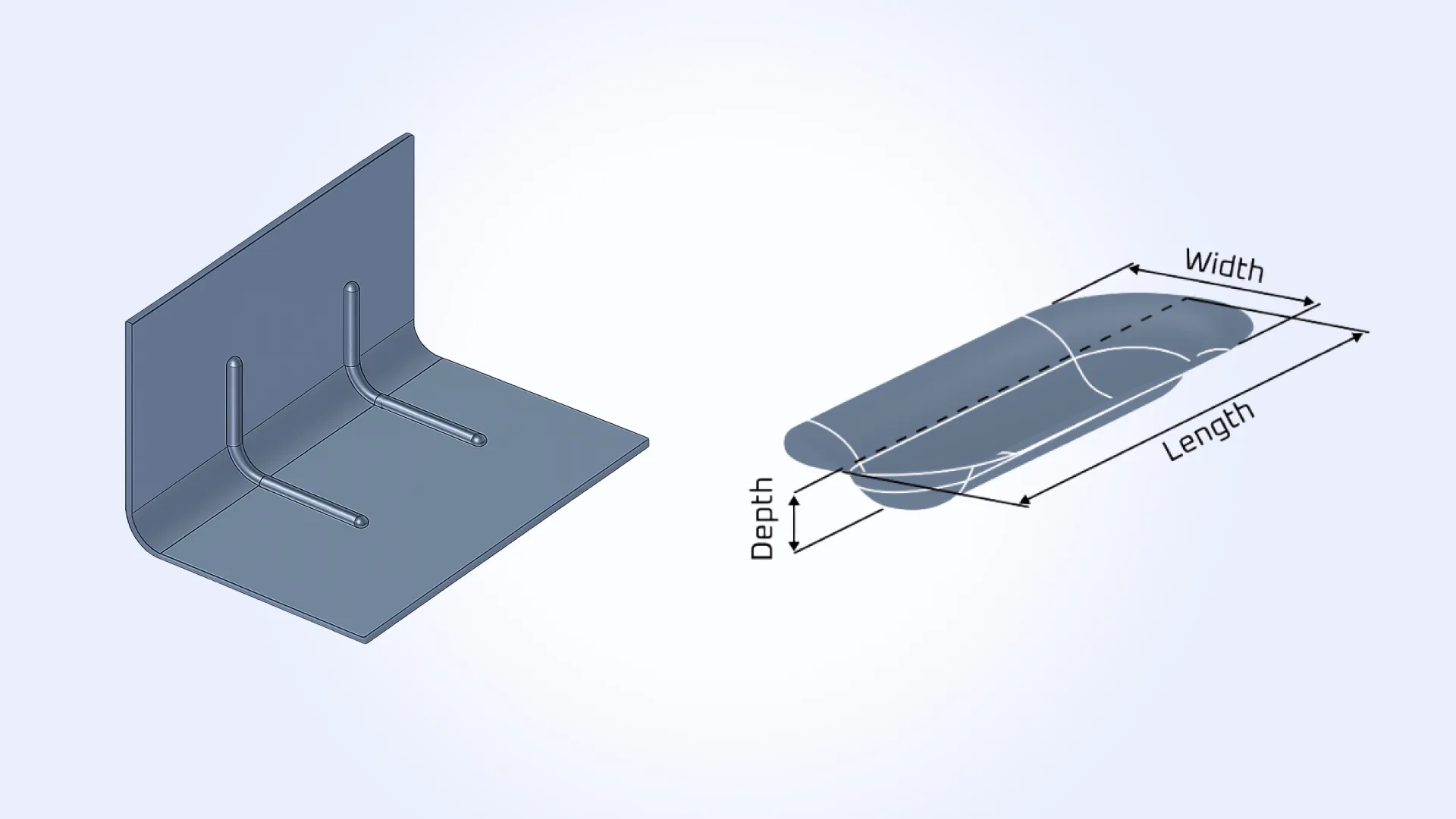
Sheet metal bead recognition has been improved to better match real-world manufacturing techniques. Previously, some bead-like features could be incorrectly classified as generic forming features, while certain overly wide forming regions could also be recognized as beads.
The updated recognition logic now identifies shallow and narrow forming features as beads more consistently, improving classification accuracy for typical sheet metal reinforcement geometry. Detection quality has been enhanced through point and derivative sampling, width statistics analysis, and depth estimation using ray casting and statistical evaluation.
In addition, the SheetMetal_Bead feature has been extended with new Width and Length parameters. Width represents the bead roller width used during forming, while length corresponds to the bead path length.
Improved CNC hole and countersink recognition
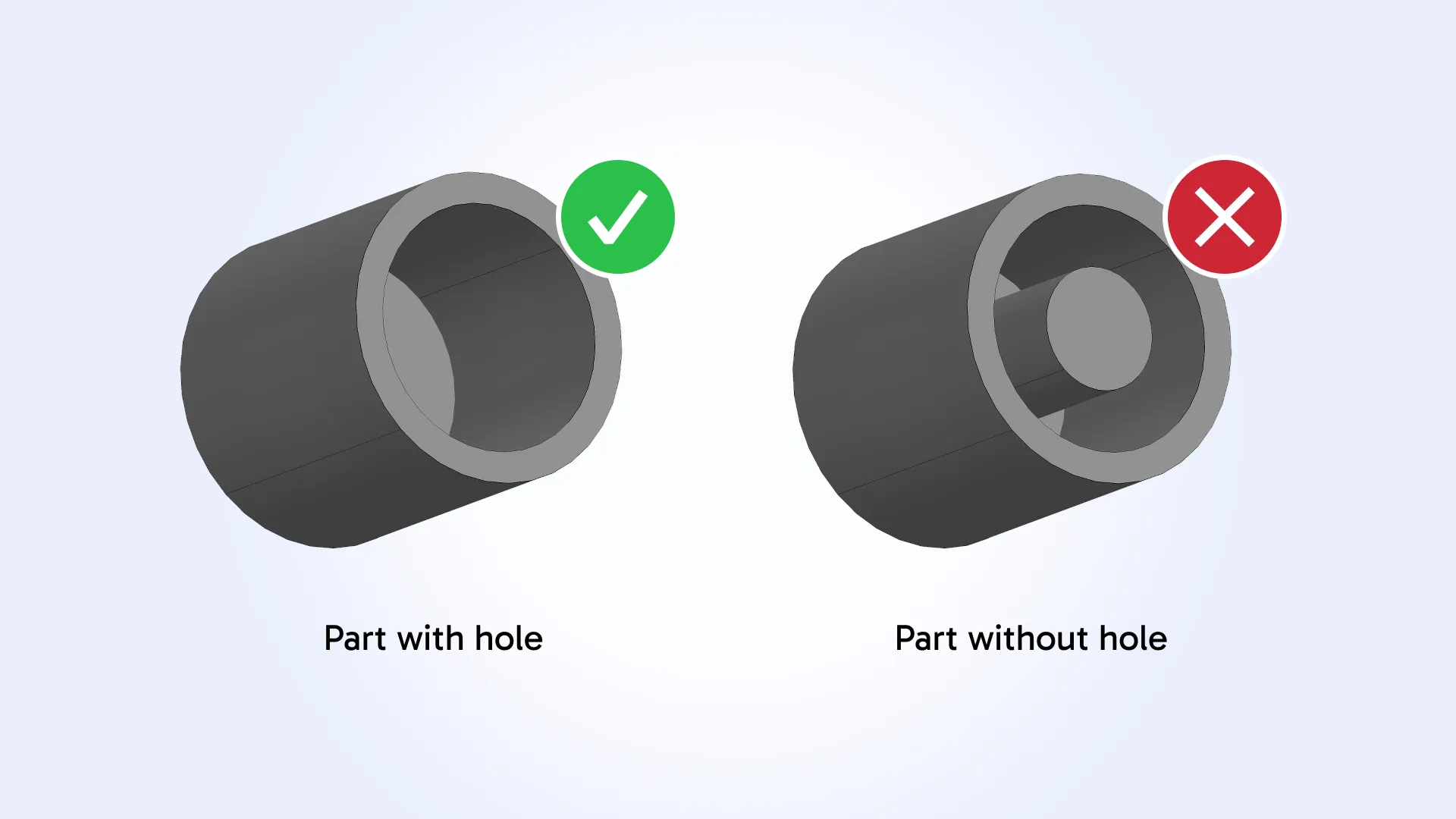
CNC machining feature recognition has been improved to prevent cylindrical or conical geometry containing internal elements from being incorrectly recognized as holes or countersinks. The updated logic now verifies that recognized hole and countersink features are actually hollow.
As a result, cylindrical or conical cavities containing internal geometry (such as bosses, threaded studs, pins, or shafts) are no longer recognized as holes or countersinks. This improves recognition accuracy for machining features and reduces false-positive feature detection in machining workflows.
Wall Thickness updates
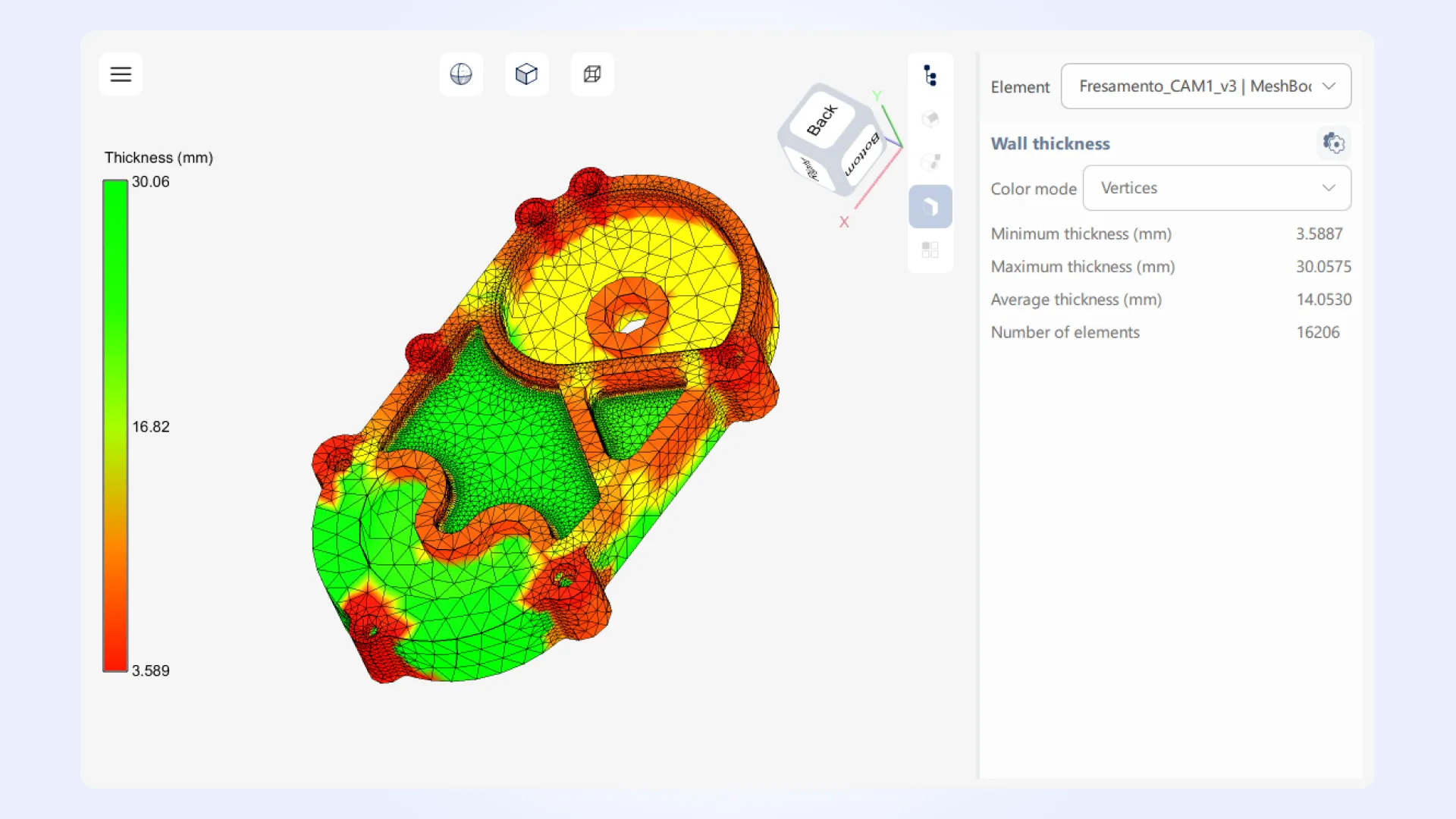
Wall Thickness analysis has been extended with the introduction of the new Ray Marching algorithm and updated analyzer parameters. The WallThickness_Analyzer API has been refactored to use WallThickness_AnalyzerParameters, allowing selection of different analysis methods through a unified configuration interface.
The new Ray Marching algorithm provides high-performance wall thickness computation with low memory usage and improved accuracy for finely tessellated models containing large numbers of triangles. Compared to the previous voxelization-based approach, the new method eliminates discretization artifacts and can detect very small thickness values more reliably. At the same time, the algorithm is more dependent on mesh quality, making triangulation accuracy an important factor for precise results.
Wall Thickness functionality has also been extended across the MTK ecosystem. MTK Web examples have been reworked with improved thickness-based coloring, configurable thickness ranges for custom color mapping, and interactive display of thickness values on mouse hover at any point on the model surface.
MTK Workbench now allows users to set the Ray Marching method directly in the UI, supports vertex selection in triangle inspection mode, and displays thickness values in tooltips at triangle vertices. Visualization of fixed-width parts has also been improved: models with thickness variation within tolerance are now displayed using uniform coloring for clearer interpretation of analysis results.
Nesting updates
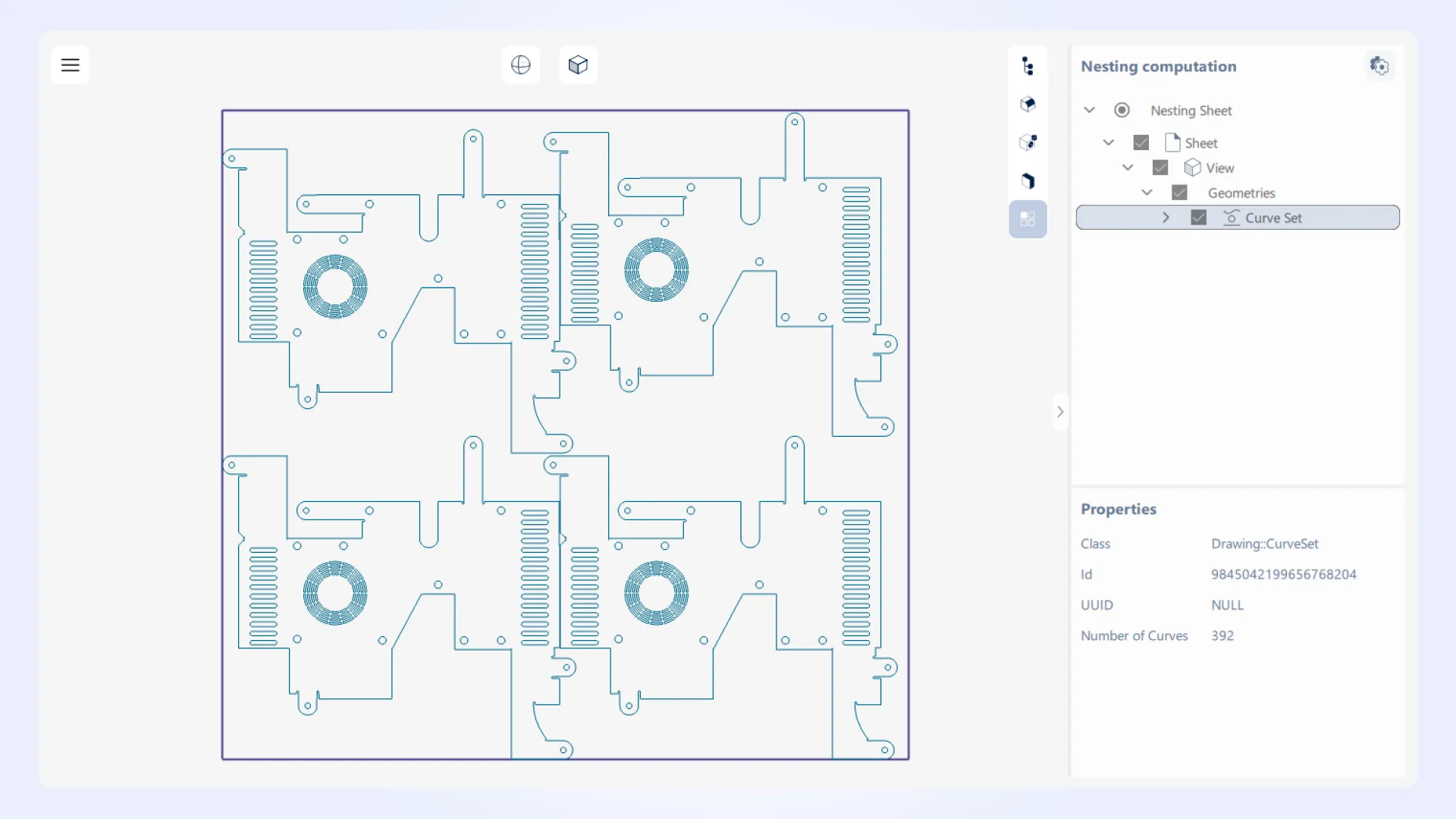
Nesting support has been extended across the Manufacturing Toolkit ecosystem. MTK Converter wrappers for C#, Java, and Python now support nesting workflows, as reflected in the updated examples and documentation.
MTK Workbench now includes a dedicated Nesting mode that allows running nesting computations for specified patterns directly from the UI. It also supports running nesting directly on unfoldings produced by the Sheet Metal process. Visualization of nesting results has also been added, making it easier to inspect placement layouts and analyze computed nesting arrangements interactively.
MTK Web updates
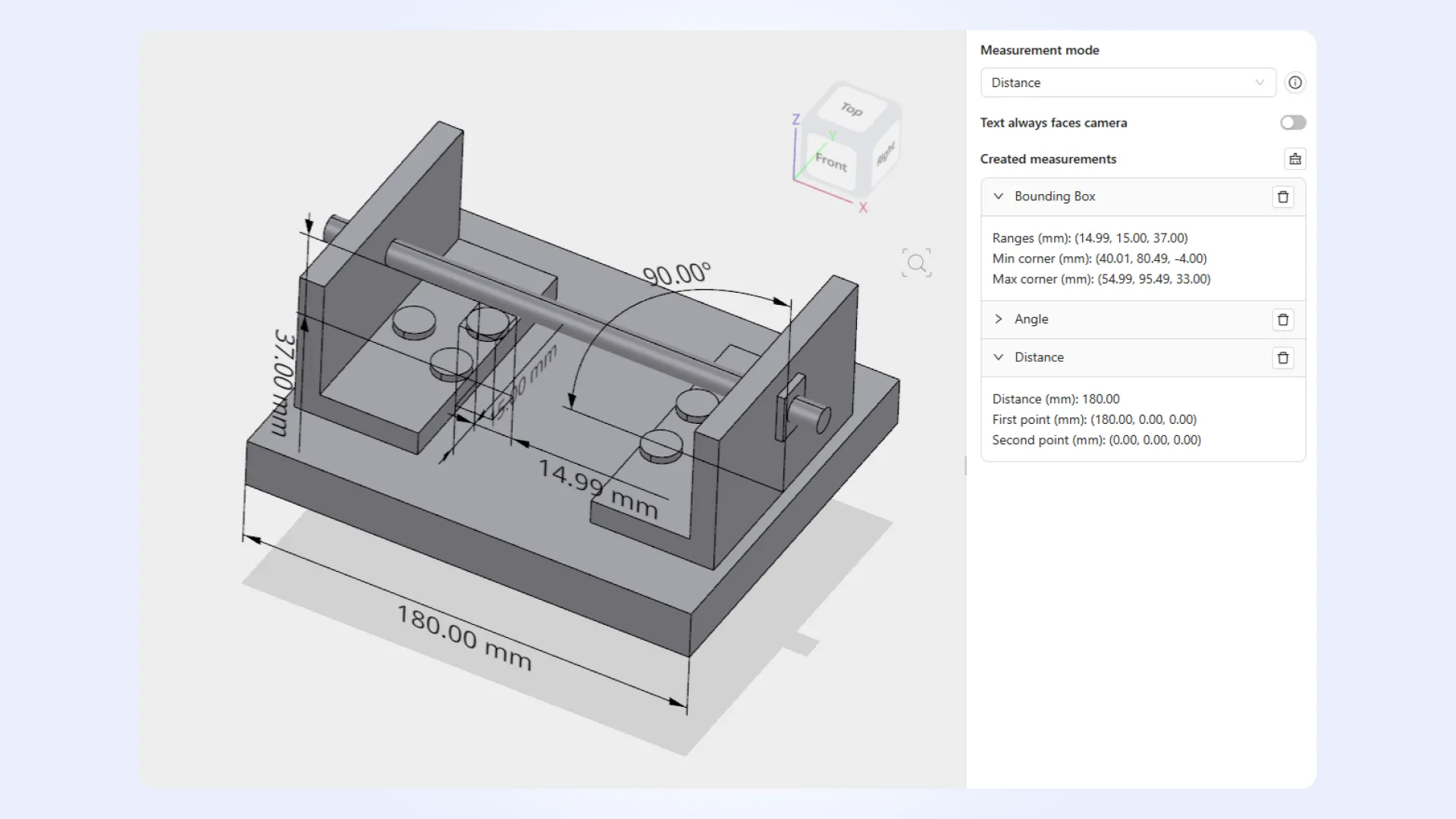
The updated measurement API includes:
- Angles between faces, edges, vertices, and points.
- Length measurements for Edge, Wire, PolylineSet, and Polyline2dSet entities.
- Surface area, volume, and other validation properties for Model, ModelElement, Body, Shape, and MeshShape objects.
MTK Web examples now support repositioning measurements after creation and include a reworked Measurement Creating Viewer example, as well as a new ObjectManipulator class for interactive object translation and rotation within the scene.
MTK Workbench updates
Model Structure and Statistics panels
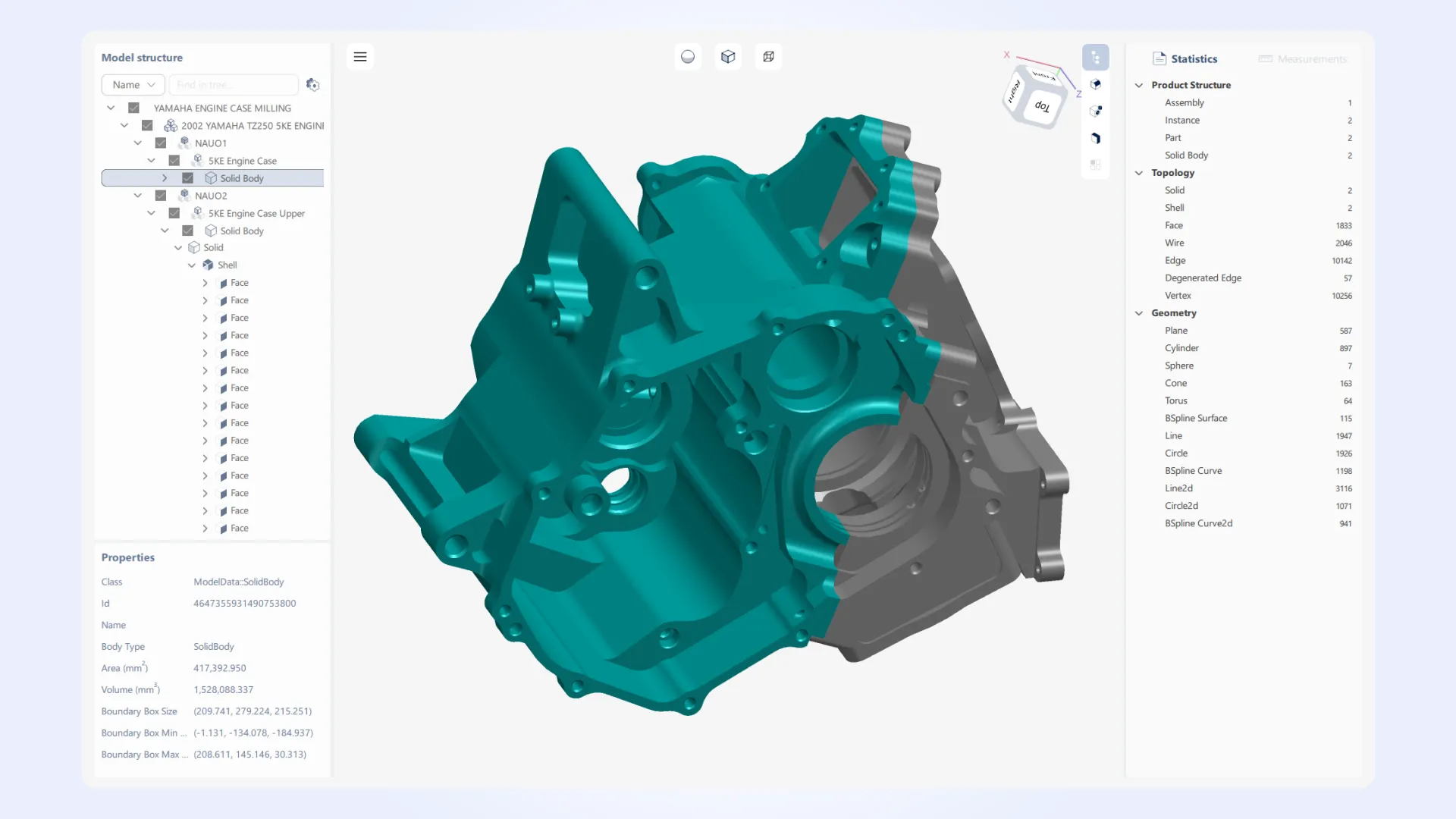
Structure View usability has been improved with keyboard navigation, “expand all” and “collapse all” actions for large branches, and support for displaying the Model object as the root item together with its properties. Further improvements include updated search bar option menus and enhanced Statistics tools with explanatory tooltips and the ability to switch between total and unique count display modes.
Measurements
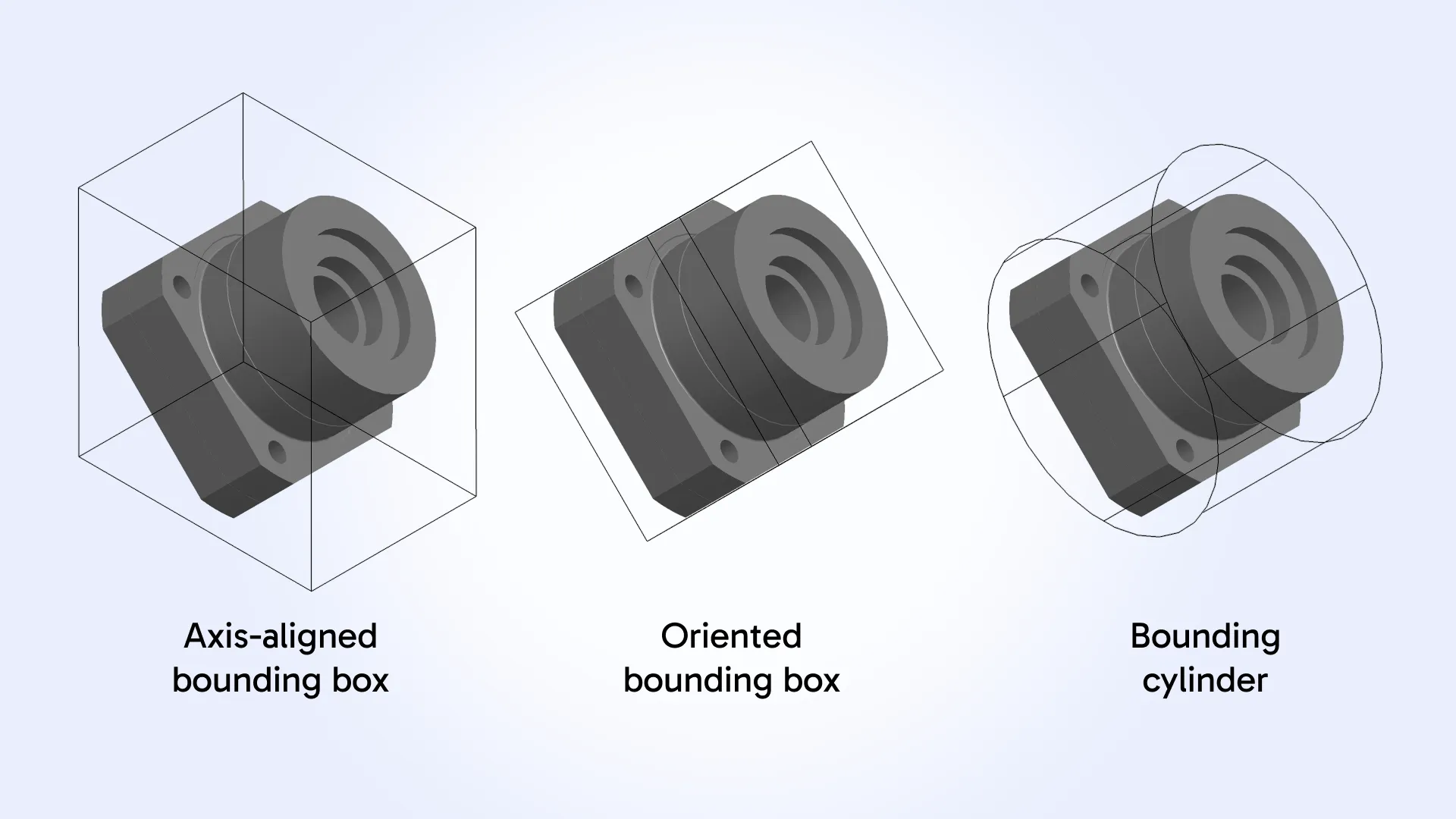
The Measurements module now supports axis-aligned bounding box (AABB), oriented bounding box (OBB), and bounding cylinder measurements. AABB visualization and related information are now also available directly in the Properties panel.
The Measurements panel has been reworked to display results as a hierarchical tree with grouping by measurement type. Additional usability improvements include:
- Synchronized selection between the Measurements panel, 3D viewer, and Structure View.
- Support for selecting measurement objects directly in the viewer.
- Show/hide controls for measurements of the same type.
Feature recognition and DFM analysis
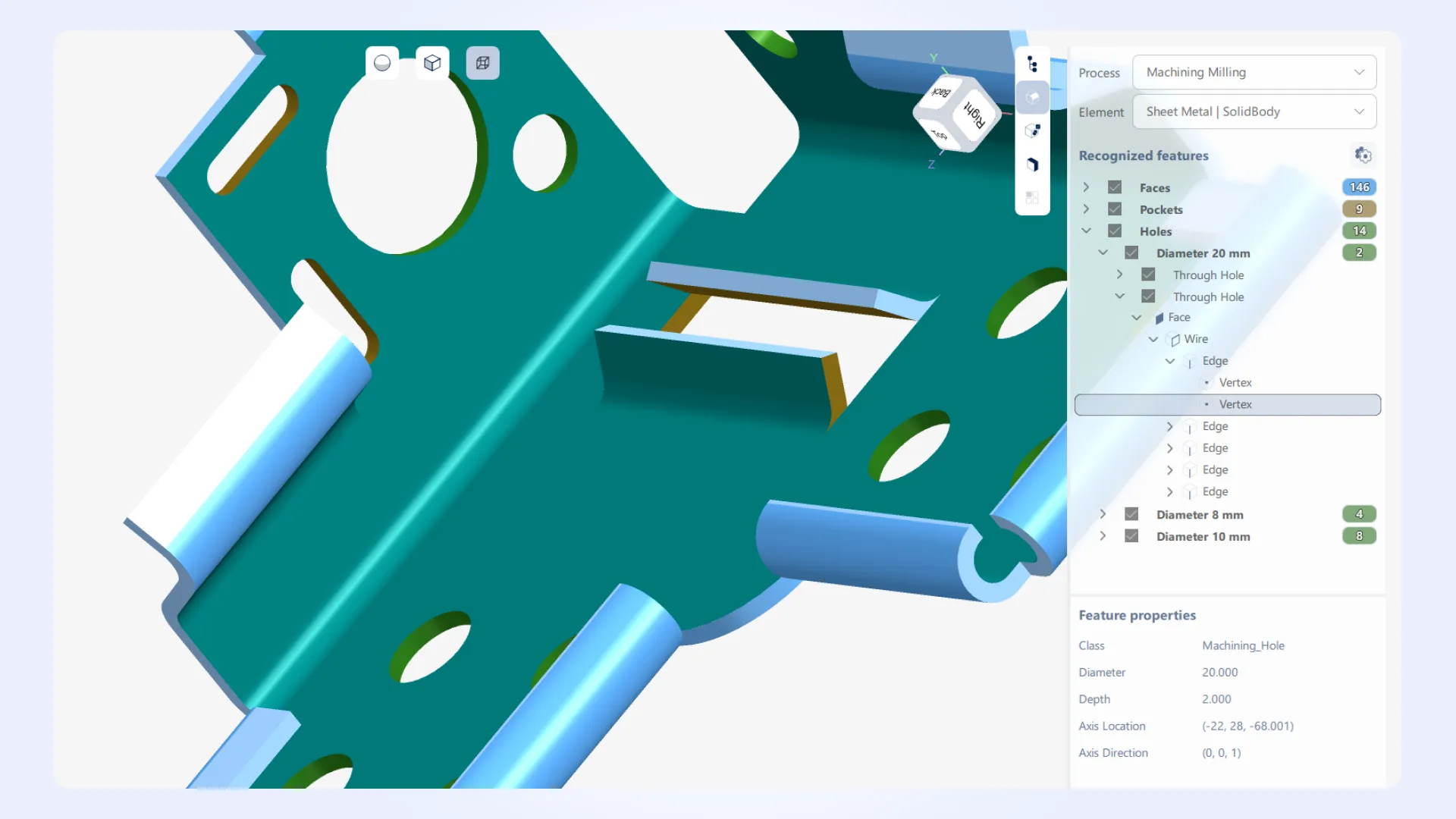
Machining mode has been improved with explicit hole grouping by diameter, while feature display now shows diameters instead of radii for clearer manufacturing-oriented interpretation. DFM Analysis now validates parameters against allowed ranges, helping prevent invalid configuration values during analysis setup.
In addition, unfolded shapes are now displayed directly in Feature Recognition and DFM modes when unfolding view is active, improving visualization and analysis workflows for sheet metal models.
Improved progress reporting
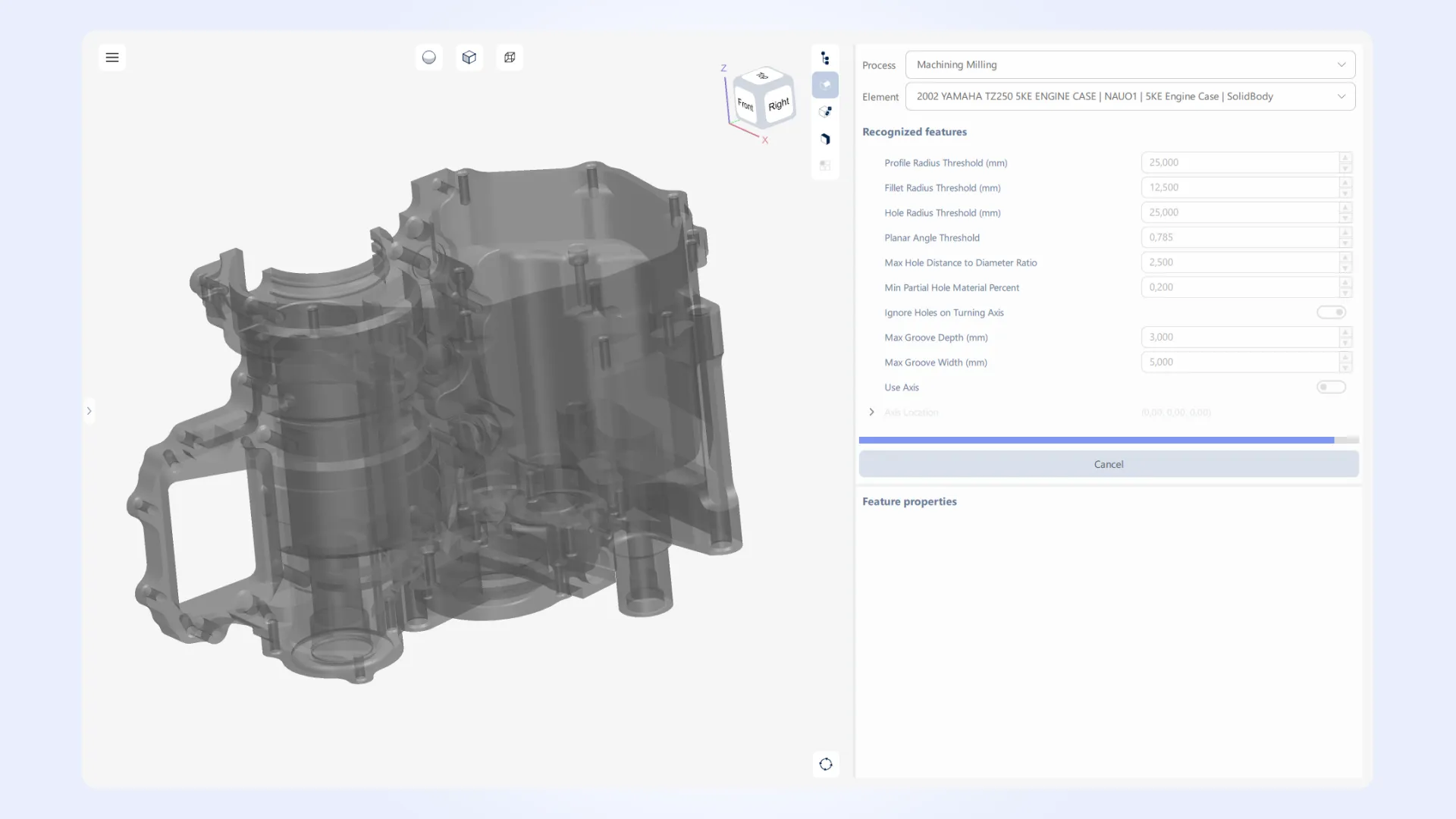
Progress status handling for CNC machining workflows has been improved to provide more detailed and responsive feedback during operation execution. Progress reporting granularity has been expanded, reducing noticeable jumps in progress updates and enabling more accurate tracking of algorithm execution stages. This improves progress visualization in UI applications as well as progress monitoring in programmatic workflows.
Cancellation responsiveness has also been improved for long-running operations, reducing delays between cancellation requests and actual operation termination. In addition, the overhead associated with frequent progress updates has been reduced, improving overall efficiency in workflows where progress status is updated at a high frequency.
This release also includes several minor improvements across the Manufacturing Toolkit. For the complete list of updates in MTK 2026.3, please refer to the changelog.