STEP AP242 export, improved CNC and sheet metal feature recognition, and extended PMI support in Manufacturing Toolkit 2026.6
The new release adds STEP AP242 export with assembly structure and PMI, introduces oriented 2D bounding box computation, and extends CNC feature recognition with external chamfers and a wider range of pocket geometries. It also improves sheet metal forming feature processing and adds PMI support to MTK Workbench and MTK Web.

STEP AP242 export with assembly structure and PMI
Manufacturing Toolkit now supports STEP AP242 export through ModelData::ModelWriter, including B-Rep geometry, assembly structure, and both graphical and semantic Product and Manufacturing Information (PMI).
Export of parametric 2D curves and PMI is optional, disabled by default, and currently has several limitations. For more information, please refer to the STEP Export documentation.
Oriented 2D bounding box computation
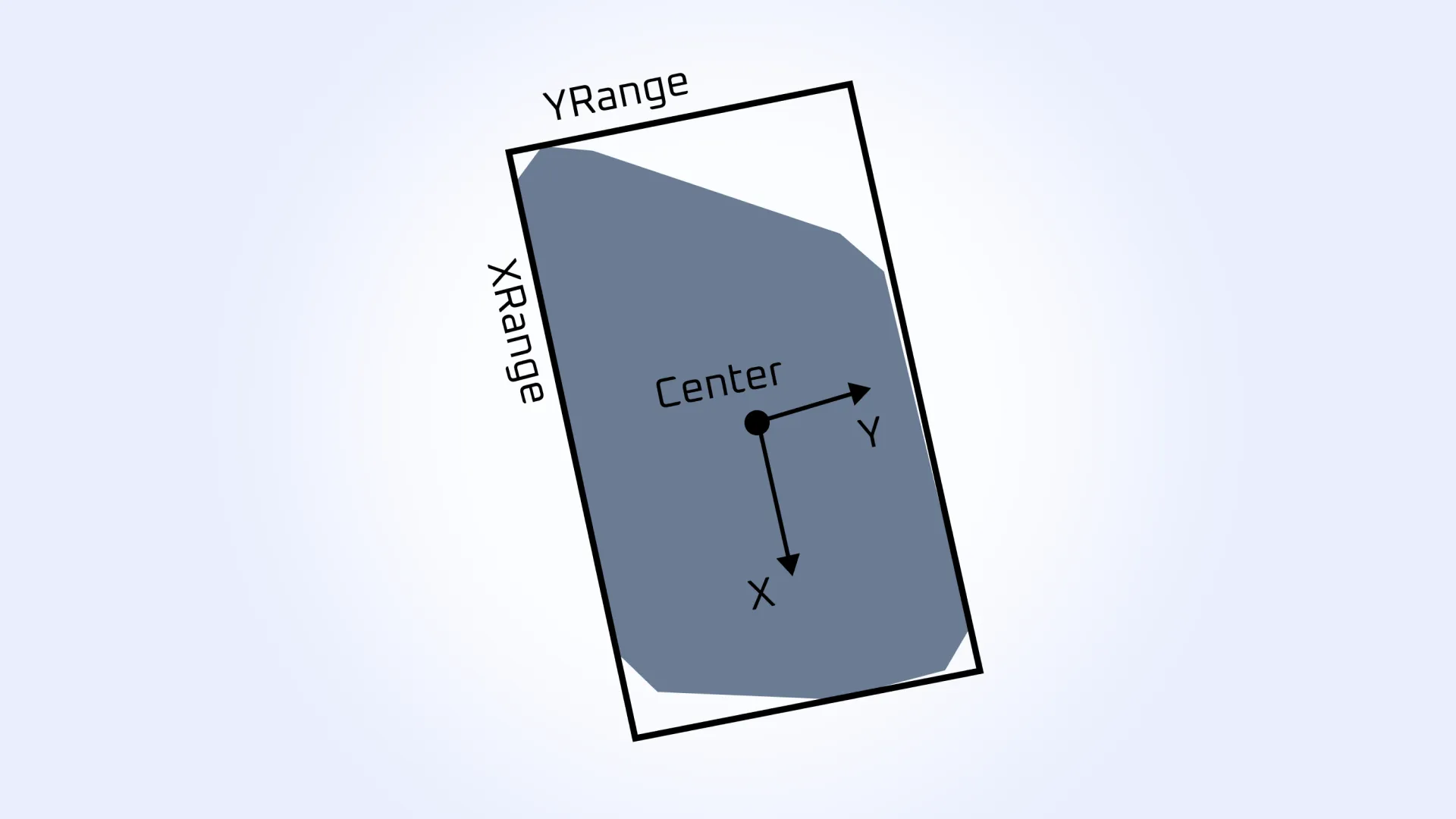
The MTK API now provides Geom::Box2d and Measurements::BoundingBox2d for computing oriented 2D bounding boxes.
The computation supports both Drawing::CurveSet and sets of Geom::Point2d points as input. Depending on the selected criterion, it can determine either the minimum-area or minimum-perimeter bounding box.
The criterion can be configured through BoundingBox2dParameters, providing flexibility for applications that need to optimize 2D bounds for different geometric processing scenarios.
CNC machining: external chamfers and improved pocket recognition
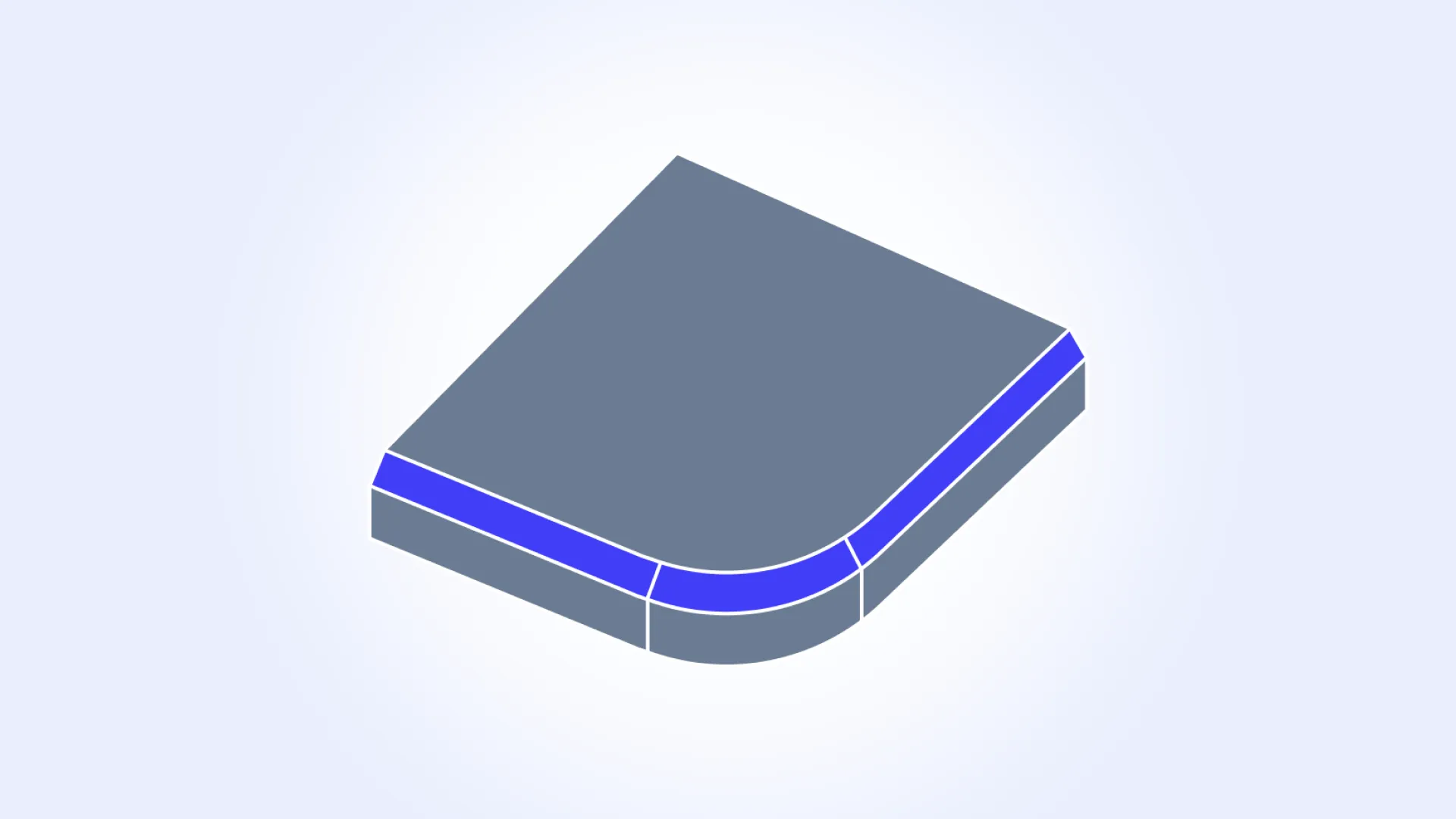
CNC feature recognition has been extended with support for external chamfers and additional pocket geometries.
The new Machining_Chamfer feature enables external chamfer recognition in Milling and LatheMilling operations, with chamfer length available as a feature parameter. Chamfers whose faces are fully contained within a pocket, groove, or bore can also be accessed through the new Chamfers() method in the corresponding feature classes.
Pocket recognition now handles more complex geometries, including L-shaped, C-shaped, and S-shaped pockets.
Sheet metal: improved forming feature recognition
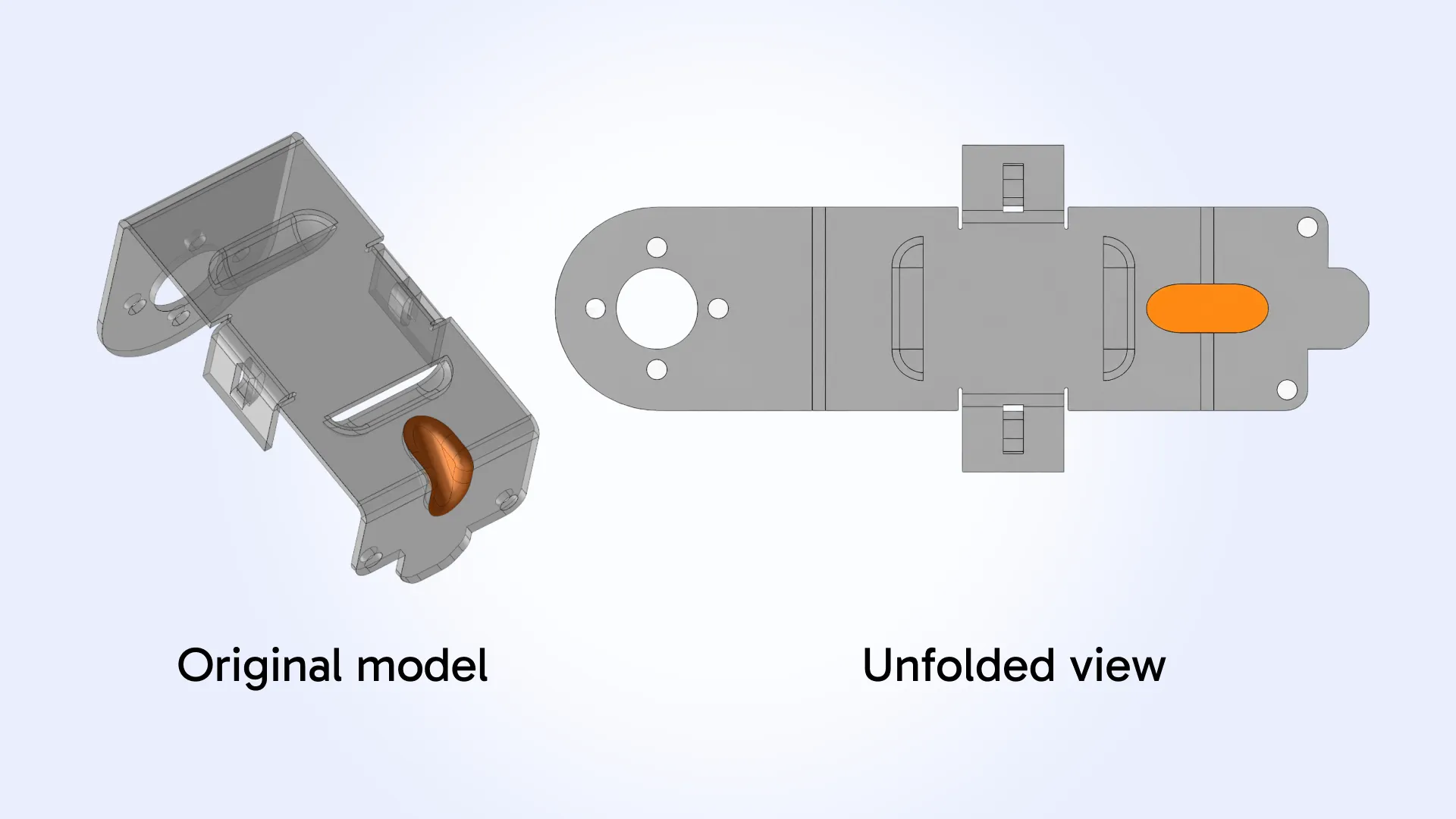
Sheet metal processing has been improved for forming features in both Feature Recognition and Unfolding.
Feature Recognition now handles sequences of bends and flat faces more accurately, avoiding cases where they could be incorrectly recognized as forming features. Recognized forming features also no longer include unrelated faces.
Unfolding has been improved for enclosed forming features with a closed boundary fully contained within the sheet and no internal holes, providing more reliable flat pattern results for these geometries.
PMI support in MTK Workbench and MTK Web
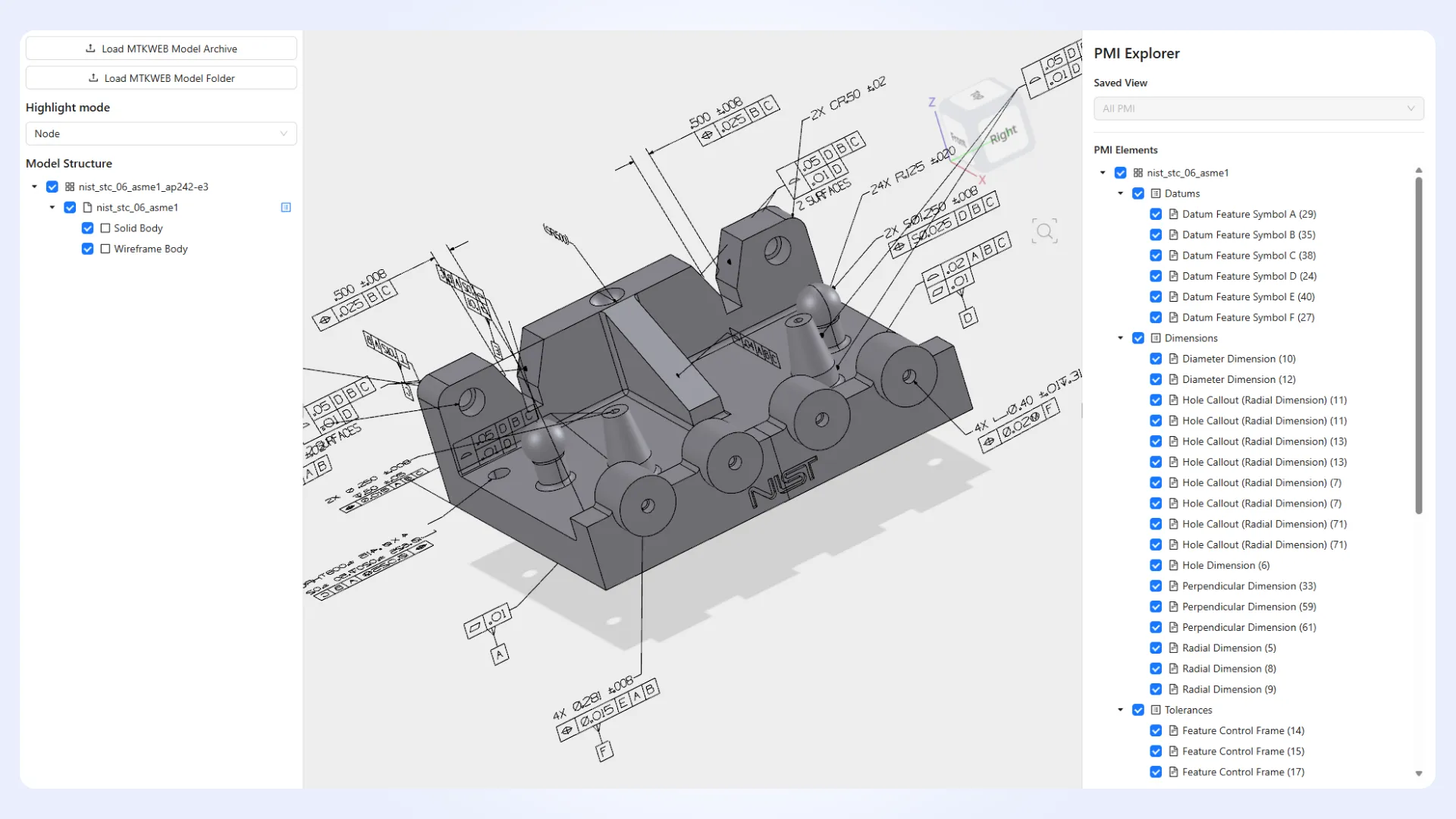
PMI capabilities have been extended to both MTK Workbench and MTK Web, making manufacturing information available for inspection and visualization across desktop and web workflows.
MTK Workbench now supports browsing the PMI hierarchy, visualizing graphical PMI components in 3D, and viewing element properties.
MTK Web introduces a new PMI API for accessing saved views, graphical and semantic representations, and their associations with model elements and B-Rep shapes. To explore these capabilities in MTK Web, please refer to the new PMI Explorer example.
MTK Workbench updates
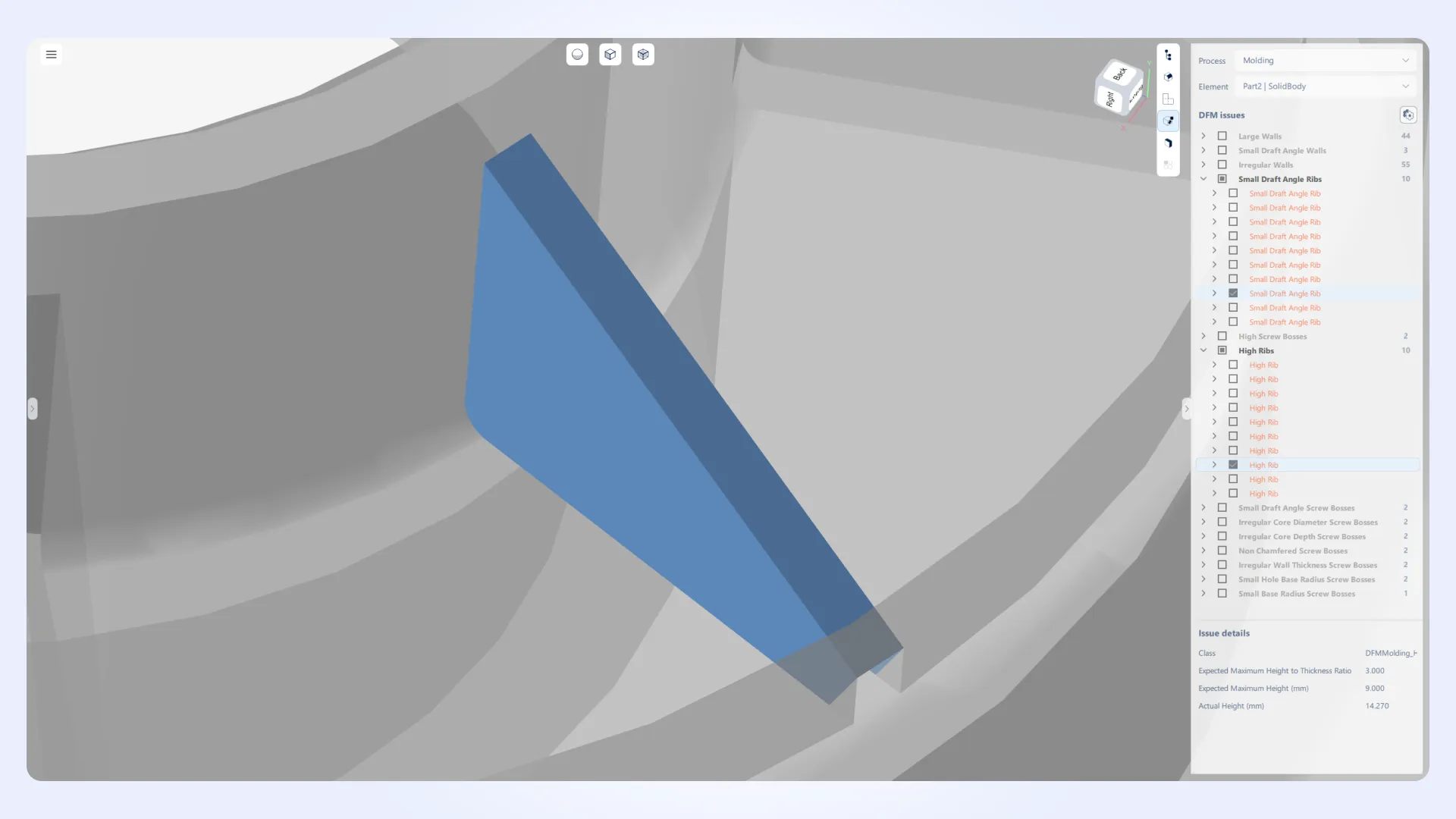
DFM analysis workflows have been improved. You can now highlight all DFM issues associated with a selected shape or DFM issue.
Chamfer features are now supported in Workbench. Chamfers recognized in CNC machining can now be displayed and inspected alongside other machining features.
Workbench interface has been updated. The changes improve visual consistency and usability.
MTK Web updates
File loading and shared APIs in MTK Web examples have been reworked. A new File Loading API supports loading files from both local and remote sources. For remote sources, file information can be loaded separately from the file content, allowing the content to be retrieved on demand when needed. Archives without file extensions are also supported. Shared APIs for model, drawing, and feature trees have also been reworked.
Material management APIs have been reworked to improve resource handling. Resources are now isolated between viewers, with improved cleanup.
Several visualization and resource management issues have also been fixed. These include section plane material caching, point texture resource leaks, and highlighting of open meshes.
This release also includes several minor improvements across the Manufacturing Toolkit. For the complete list of updates in MTK 2026.6, please refer to the changelog.